SQL Shell
View as MarkdownThe Materialize Console provides a SQL Shell, where you can issue your queries. Materialize follows the SQL standard (SQL-92) implementation, and strives for compatibility with the PostgreSQL dialect. If your query takes too long to complete, the SQL Shell provides Query Insights listing some possible causes.
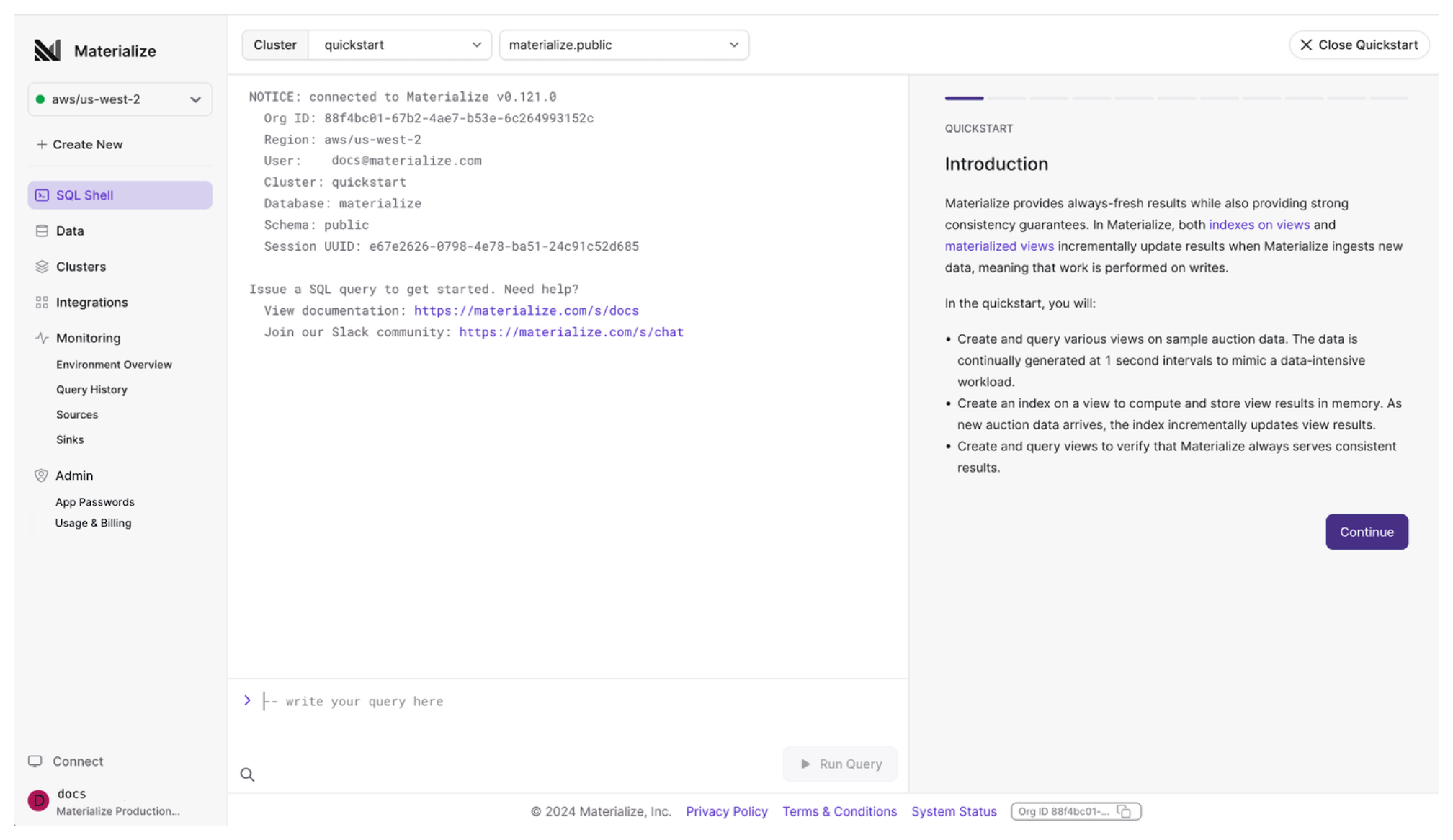
The SQL Shell also includes:
-
A top navigation panel, where you can select your cluster and database and schema.
-
A Quickstart tutorial. You can close the Quickstart by clicking the Close Quickstart button in the top-right corner.
Query timing
Below each result, the SQL Shell shows how long the statement took, for
example Returned in 148.0ms · 12.0ms in Materialize:
- Returned in is the time until the SQL Shell had received the statement’s whole result, including the network and your browser’s processing, measured from sending your input. (When there are multiple statements in one input, it is measured from the previous result for each statement after the first, so it can be shorter than the time in Materialize.)
- in Materialize is the time that Materialize measures:
- For a query, it is the time Materialize took to produce the result. Materialize computes the whole result before it sends the first row, so sending the rows to your browser is not included.
- For other statements, it ends when the statement completes.
- When the statement leaves work for a later commit, such as a write that the
commit applies, the time does not include the commit, and it reads
in Materialize, staged. InsideBEGIN ... COMMIT,COMMITshows the commit.
SUBSCRIBE results, and environments that do not report the time in
Materialize, show the round trip only.