Releases
View as Markdownv26.41.0
Released to Materialize Cloud: 2026-09-10
Released to Materialize Self-Managed: 2026-09-11
Improvements
- Improved Clusters Page on console: The Clusters Page now shows you per-replica usage, including CPU, memory, disk, and heap usage. Use the filters on the page to quickly identify unhealthy clusters. We’ve also sped up the page; page-loads which previously took ~600ms now take 25-50ms on environments with 2,000 objects.
- MySQL snapshot parallelism enabled by default: In v26.39, we launched parallelized snapshots for MySQL sources on tables which have a
CHARorVARCHARprimary key using theutf8mb4character set with theutf8mb4_bincollation. In our tests, we saw snapshot speedups of up to 80%. This behavior is now enabled by default. - Pre-flight reference checks in
mz-deploy:mz-deploy apply,apply tables, and their--dry-runforms now check everyCREATE TABLE ... FROM SOURCEreference against what the source can actually expose before creating anything, and report the mismatches grouped by source with close-name suggestions instead of failing partway through the batch with a raw server error.
Guides
- Reorganized documentation: The docs are now grouped by what you are trying to do, with Fundamentals, Clusters, Developer tools, and Export data. Every moved page redirects from its previous URL.
- Export data to Snowflake on AWS, using the Iceberg Sink to AWS S3 Tables
- Query History for Self-Managed
- ADBC (Arrow Database Connectivity)
- Understand the lifecycle of a source
- Upgrade the major version of your PostgreSQL source
Bug Fixes
- Fixed
ALTER MATERIALIZED VIEW ... APPLY REPLACEMENTrun while a zero-downtime upgrade was in progress leaving the upgraded environment on the view’s previous definition, which either putenvironmentdinto a crash loop that restarting could not clear or left the view silently computing and serving the replaced definition. - Fixed
EXPLAIN TIMESTAMP AS DOTabortingenvironmentd, which let any role that can run SQL take an environment down with a single statement; the statement now returns an unsupported-format error. - Fixed
environmentdentering a crash loop that restarting could not clear, after anALTER MATERIALIZED VIEW ... APPLY REPLACEMENTwas followed by dropping the old definition’s dependencies. - Fixed a coordinator panic during
ALTER TABLE ... ADD COLUMNwhen the schema change committed but its response was lost, so the retry now recognizes the evolution as already applied instead of reporting a mismatch. - Fixed Iceberg sinks panicking during Parquet writes when the sink’s schema no longer matched that of an existing table, which could recur on every sink restart or zero-downtime upgrade; the sink now reports the mismatch instead.
- Fixed MCP clients built on the official SDK failing the handshake, because Materialize answered
notifications/initializedwith200rather than the202the Streamable HTTP transport requires for a message that carries no reply. ALTER CLUSTER ... WITH (WAIT FOR ...)now rolls back when its timeout is processed while the target replicas are still unhydrated, matchingWAIT UNTIL READY’s safe default instead of forcing a cut-over that can cause downtime; request the previous behavior explicitly withWAIT UNTIL READY (..., ON TIMEOUT = 'COMMIT').- Fixed the Console showing the previous region’s clusters and Object Explorer contents after a region switch, until a full page refresh.
v26.40.2
Released to Materialize Cloud: 2026-09-07
Released to Materialize Self-Managed: 2026-09-08
Bug Fixes
- Fixed
ALTER MATERIALIZED VIEW ... APPLY REPLACEMENTrun while a zero-downtime upgrade was in progress leaving the upgraded environment on the view’s previous definition, which either putenvironmentdinto a crash loop that restarting could not clear or left the view silently computing and serving the replaced definition.
v26.40.0
Released to Materialize Cloud: 2026-09-02
Released to Materialize Self-Managed: 2026-09-03
Iceberg support for Databricks on AWS
Iceberg sinks can now write to Apache Iceberg tables registered in Databricks
Unity Catalog on AWS, reached through
Unity Catalog’s Iceberg REST catalog endpoint. Two new Iceberg catalog
connection options make this work: OAUTH2 SERVER URL, which names a token
endpoint that does not sit under the catalog URI, and ACCESS DELEGATION = 'vended-credentials', which asks the catalog for temporary, table-scoped
storage credentials instead of static keys. Materialize refreshes both the
OAuth2 token and the vended credentials while the sink runs, so a sink that
outlives one credential lifetime keeps writing.
CREATE SECRET databricks_oauth
  AS '<client_id>:<client_secret>';

CREATE CONNECTION iceberg_catalog_connection TO ICEBERG CATALOG (
    CATALOG TYPE = 'rest',
    URL = 'https://<workspace>.cloud.databricks.com/api/2.1/unity-catalog/iceberg-rest',
    WAREHOUSE = '<catalog_name>',
    CREDENTIAL = SECRET databricks_oauth,
    OAUTH2 SERVER URL = 'https://<workspace>.cloud.databricks.com/oidc/v1/token',
    SCOPE = 'all-apis',
    ACCESS DELEGATION = 'vended-credentials'
);

CREATE SINK <sink_name>
  IN CLUSTER <sink_cluster>
  FROM <my_materialize_object>
  INTO ICEBERG CATALOG CONNECTION iceberg_catalog_connection (
    NAMESPACE = '<unity_catalog_schema>',
    TABLE = '<my_iceberg_table>'
  )
  MODE APPEND
  WITH (COMMIT INTERVAL = '<commit_interval>');
For more information, see:
- Guide: Databricks on AWS
CREATE CONNECTION: Iceberg catalog, including storage access delegationCREATE SINK: Iceberg, including append mode
Improvements
- Query History for Self-Managed: Self-Managed deployments can now use the Console’s Query History view to debug latency and performance.
- Bounded staleness isolation is generally available: The
bounded staleness <duration>transaction isolation level is out of public preview and is now a supported part of thetransaction_isolationsurface. See when to use bounded staleness and its restrictions. - Replica resource usage introspection: A new
mz_introspection.mz_cluster_replica_resource_usagerelation reports each replica process’s own memory, swap, and disk observations at a higher cadence than the roughly once-a-minute orchestrator samples, so a spike between two samples is no longer invisible. - Self-Managed: Automatic rollouts on GKE node pool upgrades: The Materialize operator can now detect GKE node pool upgrades and automatically trigger rollouts to move workloads onto the new nodes, preventing outages from automatic node evictions. Deployments that use the Materialize Terraform modules (v9.0.0 and later) get this configured for them, with no action needed; for all other deployments, see GKE node pool upgrades for the setup steps.
Agent Skills
- mz-optimize-memory: A new skill that works top-down from a cluster’s largest arrangements to a table of memory-reducing fixes — index changes, outer-join and subquery rewrites, window-function patterns, and arrangement size hints — with rules for estimating each saving before making the change and verifying it afterwards.
Bug Fixes
- Fixed the MCP servers rejecting
tools/list,ping, andnotifications/initializedrequests that carry anyparams— including the_metafield MCP clients are allowed to attach — with a non-JSON-RPC HTTP 422 that clients read as the server being unavailable. - Fixed
ALTER MATERIALIZED VIEW ... APPLY REPLACEMENTleaving a stale cached query plan behind, which putenvironmentdinto a crash loop on every subsequent restart once a dependency of the replaced definition was dropped, and could otherwise leave the view computing its old definition. CREATE TABLE ... FROM SOURCEnow requiresSELECTon the source andUSAGEon its schema, closing a case whereCREATEon any schema a role controlled was enough to read a source that role had been denied; deployments where a platform team owns sources and application teams attach tables into their own schemas will need thoseSELECTgrants added.- Fixed
ALTER CONNECTIONletting a connection owner keep secrets and connections they lackUSAGEprivileges on, and read those secrets during content checks or connection validation. - Fixed
ANY/ALLover aNULLarray or list returning the empty-set answer instead ofNULL, andarray_positionfailing to findNULLelements, both now matching PostgreSQL. - Fixed
round(numeric, scale)erroring on a scale that reaches past the value’s fractional digits, such asround(123::numeric, 38), which could also let filter pushdown discard data a query matched. - Fixed identity-provider group sync silently finding nothing when
oidc_group_claimnames a claim the token declares directly, such asroles, so group-to-role mapping now works without a custom claim or JWT prehook. - Fixed Arrow ADBC clients failing to connect by adding the missing
pg_type.typsendcolumn, and fixedtypreceiverendering as a numeric OID rather than the function name, so those clients resolve every column to its real type. - Fixed Iceberg sinks ignoring a table’s
write.data.pathproperty and always writing data files to the default location. - Fixed sources on the Console’s Objects page being described in replica-hydration terms, which could show a healthy source as
Not Hydrated, leave a webhook source with no status, and hold a completed snapshot at 99%. - Fixed several
dbt-materializeerror paths reporting confusing failures instead of the intended messages, covering the index config parser, renaming a view, dropping an unsupported relation type, connection option parsing, and the version check against a server that is not Materialize. - Fixed the
mzCLI failing on read-only commands such asmz sqlwhenmz.tomlsits on a read-only mount.
v26.39.0
Released to Materialize Cloud: 2026-08-26
Released to Materialize Self-Managed: 2026-08-27
Improvements
- Improved connect modal in the console: We’ve updated the UI to make it easier to connect coding agents to our MCP servers, and connect applications to Materialize.
- Faster MySQL table snapshots (private preview): Initial snapshots for MySQL tables are now parallelized. We saw speedups of up to 80%. When we tested a snapshot of a 2bn row table (2.45TB), previously the snapshot completed in 220 minutes. With the new parallelization, the snapshot completed in 43 minutes. Tables are eligible for parallel snapshots when they have a single-column
CHARorVARCHARprimary key using theutf8mb4character set with theutf8mb4_bincollation. For more information, see MySQL snapshot parallelism. - App password expiration (
Materialize Cloud only ): When creating an app password in the Materialize Console, you can now set an optional expiration, after which the app password is no longer valid.
Agent Skills
- mz-ontology-design: A new skill that structures a Materialize SQL code base as a canonical ontology — a shared
rawdatabase, a sharedcoredatabase, and one database per use case — with rules for semantic object grain and identity, temporal semantics, and a machine-readable relationship registry. - materialize-debug-freshness: A new skill that diagnoses why an object is behind wall-clock time, sweeping source and sink status, attributing lag hop by hop, and ranking the dataflows and operators responsible.
Bug Fixes
- Fixed zero-downtime upgrades cutting over before built-in materialized views rebuilt by the upgrade had hydrated, which made them all hydrate at once at cut-over, spiking
mz_catalog_serverCPU and slowing catalog queries. - Fixed crashes and coordinator stalls when planning queries with long
JOINchains or long chains of CTEs. - Fixed a
column "table_func_0" does not existerror when a table function in theSELECTlist is combined withGROUP BY, aggregates, orHAVING. - Fixed out-of-memory crashes caused by large
SELECTresults over the HTTP and WebSocket APIs and by slow-readingSUBSCRIBEclients, with results now streaming incrementally over the WebSocket API, the result size limit now enforced on the HTTP API, and an error returned when aSUBSCRIBEclient falls too far behind. - Fixed hangs where a
SUBSCRIBEover a query the optimizer folds to a constant would never end, and stopped dataflows from retaining source collections none of their outputs read. - Fixed filter pushdown skipping data that matched a query, which could return too few rows, and fixed replica crashes when reading data with legacy or malformed statistics.
- Fixed SQL Server sources reporting inflated ingestion lag during the initial snapshot.
CREATE CONNECTION,ALTER CONNECTION, andVALIDATE CONNECTIONfor AWS PrivateLink now reject aSERVICE NAMEthat is not an AWS VPC endpoint service name, such as a DNS hostname, instead of failing later with a misleading missing-availability-zones error.
v26.38.2
Released to Materialize Cloud: 2026-08-19
Released to Materialize Self-Managed: 2026-08-25
Dictionary compression
Dictionary compression reduces the memory that arrangements use when a column holds the same values repeatedly. Instead of storing a repeated column value each time it appears, Materialize stores that value once and has each row reference it. This can reduce steady state memory requirements after hydration has completed.
Dictionary compression is off by default. You opt in per cluster with the
EXPERIMENTAL ARRANGEMENT COMPRESSION option:
-- Turn compression on for a new cluster
CREATE CLUSTER my_cluster (
    SIZE = '100cc',
    EXPERIMENTAL ARRANGEMENT COMPRESSION = true
);

-- Or turn it on for an existing cluster
ALTER CLUSTER my_cluster SET (EXPERIMENTAL ARRANGEMENT COMPRESSION = true);
For more information, see:
- Guide: Dictionary compression, including when it helps and when it does not
CREATE CLUSTER: Dictionary compressionALTER CLUSTER: Dictionary compression
Integrate with your observability stack
Materialize Self-Managed now integrates with the observability tools you already run. You can export metrics, and optionally logs, from Materialize to Datadog, Honeycomb, Google Cloud Monitoring, Prometheus remote write, or any monitoring backend with an Open Telemetry (OTLP) endpoint. Template dashboards and alerts are provided to help you get started.
Follow the instructions for your destination:
- Datadog
- Honeycomb
- Google Cloud Monitoring
- Prometheus remote write, for Mimir, Amazon Managed Prometheus, or Grafana Cloud
- OpenTelemetry, for any other OTLP endpoint, including your own collector
If you don’t have an observability stack set up, the Materialize Terraform
modules
can deploy one alongside Materialize. It collects metrics from Materialize and
from your Kubernetes cluster, collects Materialize’s container logs and
Kubernetes events, stores both in your own object storage, and ships Grafana
dashboards and Alertmanager alert rules to query them. The stack is controlled by
the enable_observability variable, which defaults to true starting with
v11.0.0 of the modules.
For more information, see:
Improvements
- Notice for single-replica sources on multi-replica clusters: Materialize now warns when a command leaves a cluster holding more than one replica alongside PostgreSQL, MySQL, or SQL Server sources, which always run on a single replica, since the extra replicas make those sources neither more fault tolerant nor faster to ingest.
- Self-Managed: Graceful resizing of system clusters:
ALTER CLUSTER ... SET (SIZE ...)on a system cluster such asmz_catalog_serverormz_systemnow runs as a background graceful reconfiguration, with a 24-hour default deadline and a rollback on timeout, instead of recreating the whole replica set at once, soSHOW CLUSTERSsettles on the new configuration rather than flipping to it.
Agent Skills
- materialize-debug-freshness: New agent skill for diagnosing why an object is behind wall-clock time, whether that surfaces as a stale materialized view, index, or sink, or as a freshness alert. Running on the read-only tools of the Materialize developer MCP server, it ranks what is lagging, attributes the lag to a single hop, then rules out in-progress hydration, a replica dominated by one dataflow, and per-worker skew before naming the culprit operator and the SQL responsible for the expensive work.
- mz-deploy: New agent skill covering the
mz-deployCLI — project layout, the compile/test/apply/stage/promote workflow, deploy IDs and staging suffixes, schema-granularity conflict detection, stable API schemas, profile resolution, and theEXECUTE UNIT TESTgrammar. - mz-sql-lsp: New Claude Code plugin, installable from the
agent-skillsrepository’s newmaterializeplugin marketplace, that registers themz-deploylanguage server for.sqlfiles so agents can use go-to-definition, hover, and workspace symbols in an mz-deploy project instead of text search.
Bug Fixes
- Fixed an
INSERTthat ran concurrently with anALTER TABLE ... ADD COLUMNcrashing the server; the insert now fails with a retryable serialization error instead. - Fixed an environment restarting every few seconds and never becoming reachable when it held a sealed collection whose dependency had no readable history left; such a collection no longer blocks startup, so an operator can drop and recreate the affected object.
- Fixed filter pushdown discarding data that matched the query when a float column contained negative
NaNvalues, so the query returned too few rows. - Fixed a
TIMESTAMPTZliteral near the end of the representable range, and rounding such a value to a lower precision, aborting the server. - Fixed several date/time and range text-format bugs: a sub-second value that rounded up to a full second rendered about a second early, a
TIMEstring naming no time field was accepted instead of erroring, a quoted range bound kept its quotes so atsrangecould not survive a::text::tsrangeround trip, and a BC date was not quoted inside a composite value. - Fixed a regular expression exhausting server memory before erroring — a pattern under the documented 1 MiB limit could allocate several gigabytes while being translated — by also rejecting patterns with more than 2000 character classes, counting each Unicode, Perl, or POSIX class such as
\p{L},\d, or[[:alpha:]], and each range such asa-z. - Fixed a webhook source’s
CHECKexpression having no bound on the memory it may allocate, which let concurrent requests to a source with an amplifying check exhaust server memory; a check that exceeds the budget, 20 MiB per request by default, is now refused with a400response. - Fixed the enforced connection limit picking up an
ALTER SYSTEM SET max_connectionsfrom a transaction that was then rolled back, so the limit clients were held to could differ from the committed value. - Fixed
dbt-materialize’sdeploy_initfailing whenCI_TAGis set, the setup the blue/green deployment documentation prescribes, and made it quote the deployment schema consistently so a schema name that is not a bare lowercase identifier is handled correctly throughout the operation. - Fixed the comment
dbt-materialize’sdeploy_promoteputs on each promoted schema ending without a timestamp.
v26.37.0
Released to Materialize Cloud: 2026-08-12
Released to Materialize Self-Managed: 2026-08-13
Improvements
- Self-Managed: Highly available operator: The Materialize operator now runs two replicas by default, so rolling out an operator update no longer interrupts the CRD conversion webhook. Installations that manage their own RBAC must grant the operator
get,create, andupdateonleasesincoordination.k8s.io, because the two replicas coordinate through lease-based leader election. IF NOT EXISTSfor clusters and replicas:CREATE CLUSTERandCREATE CLUSTER REPLICAnow accept anIF NOT EXISTSclause, so an existing cluster returns analready exists, skippingnotice instead of an error. Provisioning scripts can now run idempotently, without a pre-flight existence check.
Bug Fixes
- Fixed a prepared statement with a parameterized
LIMITfailing withTop-level LIMIT must be a constant expressionwhenever the bound parameter’s type was notbigint. - Fixed
ALTER CLUSTER ... SET (REPLICATION FACTOR ...)on a built-in cluster such asmz_systemormz_supportbeing undone on the next restart, which could also wedge later replication-factor changes. - Fixed session parameter changes that an implicit transaction reverts not being announced to the client, so drivers that cache
ParameterStatussuch as pgjdbc and psycopg kept reporting a value the server had already discarded. - Fixed extended-protocol
ParseandBindmessages carrying more than 32767 parameters, parameter types, or format codes being misdecoded, which left the rest of the message misaligned. - Fixed Avro object container file decoding reading a previous block’s bytes into values, and bounded a block’s declared object count so that a malformed file of a few dozen bytes can no longer cost minutes of decoding work.
- Fixed a bare
mapin an option value failing to parse, which broke statements such as a Kafka sink withTOPIC = "map"and a materialized view’sPARTITION BY. - Fixed the binary wire format accepting
Infinityand-Infinityas anumericparameter, a value no SQL literal can name. - Fixed a stalled catalog snapshot in the MCP server hanging a request indefinitely instead of failing it at the configured request timeout.
- Fixed
balancerdpanicking at startup when the targetenvironmentdservice’s DNS name was not yet resolvable, which could happen during an upgrade; startup now retries with backoff for a configurable 30 seconds. - Fixed Iceberg sinks counting every row twice in
messages_staged, which drew the Console’s Staged line at double the committed rate, and fixed the Console’s sink statistics charts rendering a failed subscribe as an empty chart pinned at 0. - Fixed
ALTER NETWORK POLICY,GRANT/REVOKE USAGE ON NETWORK POLICY, andALTER NETWORK POLICY ... OWNER TOfailing to resolve a quoted identifier such as"hyphenated-name". - Fixed a query with a very large
LIMITcrashing a cluster replica in a loop, which any user able to query an indexed relation could trigger with a single statement. - Fixed a persist command that retried for minutes committing a stale lease heartbeat, which could cost a read handle its lease.
- Fixed Self-Managed deployments defaulting to an alternative materialized view sink implementation that could block cluster worker threads and cost readers their leases; it is now off by default, matching Materialize Cloud.
v26.36.0
Released to Materialize Cloud: 2026-08-07 on as-needs basis
Released to Materialize Self-Managed: 2026-08-07
Improvements
dbt-materialize:AUTO SCALING STRATEGYsupport: The dbt adapter now supports theAUTO SCALING STRATEGYcluster option, so you can speed up cluster hydration from your dbt workflows. You can set, reset, and disable it on a cluster, anddeploy_initwill automatically copy strategy configuration during blue/green deploys.- Updated timezone data: The IANA timezone database has been updated from 2022g to 2025b, correcting timezone rules for Egypt, Kazakhstan, Paraguay, and Greenland that changed since 2023. Numeric timezone abbreviations (e.g.,
+05) now render correctly inpg_timezone_names.
Bug Fixes
- Fixed a coordinator panic when a client abandoned a connection attempt that had already failed, such as an HTTP request that disconnects or times out.
- Fixed
EXTRACT(YEAR ...)andmake_timestampreturning incorrect results for BC dates, where year numbering was off by one. - Fixed interval range qualifiers incorrectly dropping fields above the range’s high end, causing expressions like
INTERVAL '1 2:03' HOUR TO MINUTEto lose the day component. - Fixed date parsing to honor the
DateStyleMDY convention, sodate '01/02/03'now correctly parses as2003-01-02instead of0001-02-03. - Fixed array and list text output not quoting elements matching
NULLcase-insensitively, causing values like'null'to round-trip incorrectly asNULL. - Fixed interval text output spelling the months field as
month(s)instead ofmon(s), which caused psycopg to silently drop all components after the months field. - Fixed
CREATE VIEWandCREATE MATERIALIZED VIEWsilently accepting a column name list shorter than the number of output columns. - Fixed binary-protocol time parameters outside the valid range being accepted instead of rejected with an error.
- Fixed
INTERSECTqueries with many branches exhausting environmentd memory during query planning. - Fixed
DISCARD ALLnot resetting session variables to their defaults when using the extended query protocol. - Fixed
SET extra_float_digitsbeing accepted but having no effect on query output. Zero and negative values now limit float precision as in PostgreSQL. - Fixed out-of-range
REFRESH ATorALIGNED TOtimes causing a coordinator panic that dropped all client connections. - Fixed queries larger than 2 MiB terminating the client’s connection instead of returning a recoverable error.
- Fixed
SHOW CLUSTER REPLICASandSHOW OBJECTSreturning incorrect results or missing rows when a cluster replica and a catalog item shared the same internal ID. - Fixed
UNION ALLof record types failing with an internal error when fields differed only in nullability. - Fixed SQL Server sources with
CHAR(N)columns using multi-byte character encodings failing to replicate correctly. - Fixed MySQL sources where dropping a table during snapshotting could jam the entire source instead of erroring only the affected table.
- Fixed an
ALTER CLUSTERwithout aWITH (WAIT ...)clause resetting the deadline of an in-flight graceful cluster reconfiguration. - Fixed
mz-deploy apply-allfailing when a cluster file references a project-defined role, because the roles phase ran after the clusters phase. - Fixed
mz-deploy compileandmz-deploy stagefailing withtype "text[]" does not existfor projects whose dependencies have array-typed columns.
v26.35.0
Released to Materialize Cloud: 2026-07-29
Released to Materialize Self-Managed: 2026-07-30
Asynchronous Cluster Reconfiguration
ALTER CLUSTER now runs configuration changes (such as resizing) in the background, rather than blocking until the new replica set is ready. This means you can start a reconfiguration and move on to other tasks while the process completes.
Because the command is now asynchronous, you can monitor the
progress of an in-flight reconfiguration using SHOW CLUSTERS.
SHOW CLUSTERS;
    name    | replicas   |           activity           | comment
------------+------------+------------------------------+---------
 my_cluster | r1 (400cc) | reconfiguring size to 1600cc |
For detailed status, query
mz_internal.mz_cluster_reconfigurations,
which reports the target shape, the deadline, and the reconfiguration’s
lifecycle status (in-progress, then a terminal finalized, timed-out,
cancelled, or resource-exhausted):
SELECT cluster_id, status, deadline, on_timeout, target, changes
FROM mz_internal.mz_cluster_reconfigurations;
For more information, see ALTER CLUSTER: Resizing process.
AWS Glue Schema Registry Support for Sinks
Kafka sinks can now use AWS Glue Schema
Registry for Avro schema
management, via the new FORMAT AVRO USING AWS GLUE SCHEMA REGISTRY syntax on
CREATE SINK. With Glue now supported on both sources and sinks, you can manage your Kafka schemas end to end on AWS.
-- Authenticate to AWS Glue through an AWS connection.
CREATE CONNECTION aws_connection TO AWS (
    ASSUME ROLE ARN = 'arn:aws:iam::123456789000:role/MaterializeGlue'
);

CREATE CONNECTION glue_connection TO AWS GLUE SCHEMA REGISTRY (
    AWS CONNECTION = aws_connection,
    REGISTRY = 'default-registry'
);

-- Write Avro-encoded output, registering schemas with AWS Glue.
CREATE SINK avro_sink
  IN CLUSTER my_io_cluster
  FROM my_materialized_view
  INTO KAFKA CONNECTION kafka_connection (TOPIC 'test_topic')
  KEY (key)
  FORMAT AVRO USING AWS GLUE SCHEMA REGISTRY CONNECTION glue_connection (
    KEY SCHEMA NAME = 'test_topic-key',
    VALUE SCHEMA NAME = 'test_topic-value'
  )
  ENVELOPE UPSERT;
For more information, see CREATE SINK: Using AWS Glue Schema Registry.
Kafka: Source versioning
Kafka sources now support source versioning, so you can adopt upstream Avro schema changes without downtime. This uses the same mechanism already available for PostgreSQL, MySQL, and SQL Server sources, by creating a new table with the evolved schema and swapping it into place with a blue/green cutover.
There is new syntax for CREATE SOURCE and CREATE TABLE ... FROM SOURCE for creating and versioning tables independently. Materialize resolves the latest registered Avro schema when the CREATE TABLE statement runs, and pins it as the table’s reader schema.
For more information, refer to:
- Guide: Handling upstream schema changes with zero downtime
- Syntax:
CREATE SOURCE - Syntax:
CREATE TABLE
Improvements
- Faster read queries under write load: Read-only queries (e.g.,
SELECT 1) are no longer blocked by concurrent write transactions; under high write load, victim query latency drops from multiple seconds to single-digit milliseconds. - Better query plans for correlated subqueries: Queries using patterns like
1 IN (SELECT 1 WHERE p)andNOT EXISTS (SELECT 1 WHERE p)are now optimized to a simple filter, eliminating unnecessary semi/anti-joins for faster queries. - Account hierarchy billing: Organizations running multiple Materialize accounts under one parent (e.g., separate production and staging accounts) can now see consolidated billing and usage at the parent level, broken out per child account; each child account sees only its own usage. Available on request — talk to your account executive to see if you qualify.
mz-debugCPU profiling: Themz-debugdiagnostic tool now automatically collects CPU profiles alongside memory profiles for Self-Managed deployments.
Bug Fixes
- Fixed queries with many chained
INTERSECToperations (e.g., 35+ inputs) exhausting environmentd memory during planning, causing the environment to become unresponsive. - Fixed a MySQL source stalling entirely when one of its tables was dropped while the initial snapshot was running; the dropped table now reports an error on its own and the rest of the snapshot proceeds.
- Fixed a critical bug where a pending replacement materialized view could destroy the data of its live target materialized view after an environmentd restart.
- Fixed
COPY FROM PARQUETfailing for columns of typesoid,time,timestamptz,char,varchar, andmz_timestamp. - Fixed incorrect results for
variance,stddev, and related aggregate functions when used withDISTINCTon inputs containing values that differ only in sign (e.g.,-2and2). - Fixed
ALTER CLUSTER ... WITH (WAIT UNTIL READY ...)hanging indefinitely and rolling back when the cluster hosts a single-replica source (PostgreSQL, MySQL, or SQL Server). - Fixed
mz_object_arrangement_sizessilently omitting arrangements smaller than 10 MiB and showing stale sizes after an environmentd restart. - Fixed
EXPLAIN FILTER PUSHDOWN FOR MATERIALIZED VIEWcrashing environmentd when the materialized view’s cached plan referenced a since-dropped index. - Fixed array literals with empty dimensions (e.g.,
'{{},{}}'::text[]) and multi-dimensionalarray_fillcalls silently producing incorrect results instead of returning errors matching PostgreSQL behavior. - Fixed replica utilization charts in the Console failing to load on initial page render and flashing a loading spinner when switching time filters.
- Fixed replica crash and OOM markers not appearing in the “Last hour” and “Last 3 hours” Console utilization chart windows.
v26.34.1
Released to Materialize Self-Managed: 2026-07-24
Asynchronous Cluster Reconfiguration
ALTER CLUSTER now runs configuration changes (such as resizing) in the background, rather than blocking until the new replica set is ready. This means you can start a reconfiguration and move on to other tasks while the process completes.
Because the command is now asynchronous, you can monitor the
progress of an in-flight reconfiguration using SHOW CLUSTERS.
SHOW CLUSTERS;
    name    | replicas   |           activity           | comment
------------+------------+------------------------------+---------
 my_cluster | r1 (400cc) | reconfiguring size to 1600cc |
For detailed status, query
mz_internal.mz_cluster_reconfigurations,
which reports the target shape, the deadline, and the reconfiguration’s
lifecycle status (in-progress, then a terminal finalized, timed-out,
cancelled, or resource-exhausted):
SELECT cluster_id, status, deadline, on_timeout, target, changes
FROM mz_internal.mz_cluster_reconfigurations;
For more information, see ALTER CLUSTER: Resizing process.
Bug Fixes
- Fixed an issue where
ALTER CLUSTER ... WITH (WAIT UNTIL READY ...)would deadlock on clusters hosting single-replica sources (Postgres, MySQL, SQL Server), causing graceful reconfiguration to time out and roll back without resizing.
v26.34.0
Released to Materialize Cloud: 2026-07-21
Released to Materialize Self-Managed: 2026-07-21
Autoscaling to speed up hydration
Managed clusters can now temporarily scale up to accelerate hydration.
Using the AUTO SCALING STRATEGY (ON HYDRATION) strategy, Materialize runs an extra burst replica at the
larger HYDRATION SIZE while the cluster’s objects are un-hydrated. Once a steady-size replica hydrates, the burst replica is retired. An optional LINGER DURATION keeps the burst replica running for a grace period after the steady-size replicas hydrate.
-- Create a cluster that spins up a 1600cc burst replica while hydrating
CREATE CLUSTER my_cluster (
    SIZE = '400cc',
    AUTO SCALING STRATEGY = (
        ON HYDRATION (HYDRATION SIZE = '1600cc', LINGER DURATION = '600s')
    )
);
You can add, change, or remove the strategy on an existing cluster with
ALTER CLUSTER:
ALTER CLUSTER my_cluster SET (
    AUTO SCALING STRATEGY = (ON HYDRATION (HYDRATION SIZE = '1600cc'))
);
For more information, see the AUTO SCALING STRATEGY option on
CREATE CLUSTER and
ALTER CLUSTER.
Role Mapping via SCIM
To enable this feature in your Materialize region, contact our team.
You can now map identity provider groups to Materialize roles via SCIM, automatically syncing group membership from your identity provider to role assignments in Materialize. This keeps access in Materialize aligned with your identity provider as team membership changes, without manual role management. For details, see Sync IdP groups.
Improvements
- Azure SQL source support: Materialize can now ingest data from Azure SQL databases using the SQL Server source connector.
- Configurable Iceberg sink commit interval: The commit interval of an existing Iceberg sink can now be altered using
ALTER ... SET COMMIT INTERVAL, with a minimum of 1 second. - MCP query tool replica routing: The MCP developer query tool now accepts a
cluster_replicaparameter, enablingEXPLAIN ANALYZEon clusters with more than one replica. - Smaller container images: The
environmentdandclusterdcontainer images now use a distroless base, reducing image size and attack surface for Self-Managed deployments.
Agent Skills
To start using our skills, install them with npx skills add MaterializeInc/agent-skills. To update your installed skills, run npx skills update. For more information, see Coding agent skills.
- Materialize Terraform Provider: New agent skill covering Terraform provider configuration for Cloud and self-managed deployments, resource conventions, cross-resource patterns, import workflows, and known gotchas.
- Materialize Terraform Self-Managed: New agent skill covering the Terraform modules for deploying self-managed Materialize on AWS, Azure, and GCP, including IAM-based storage auth, upgrade procedures, and project integration patterns.
Bug Fixes
- Fixed a critical bug where a pending replacement materialized view could destroy the data of its live target materialized view after an environmentd restart, by advancing the shared persist shard’s since to the empty frontier.
- Fixed a correctness bug in join processing where incoming batches could be silently dropped after trace compaction, causing lost updates without error.
- Fixed multiple soundness bugs in persist filter pushdown that could silently drop matching rows or cause
persist filter pushdown correctness violationpanics. - Fixed a bug in multi-statement read transactions where a timestamp-independent first statement (e.g., a query over a constant-folded view) could cause subsequent statements to read from incorrect time domains, resulting in errors or incorrect results.
- Fixed
ALTER MATERIALIZED VIEW ... APPLY REPLACEMENTcrashing the coordinator when a temporary view or index depended on the target materialized view. - Fixed non-temporary objects (views, indexes, etc.) being allowed to depend on temporary objects, which could lead to dangling references when the session ended.
- Fixed stack overflow crashes in the adapter when processing environments with deeply nested object dependencies.
- Fixed a stack overflow when comparing deeply nested values (e.g., deeply nested JSONB) in query result ordering.
- Fixed a stack overflow when executing read-then-write statements (e.g.,
INSERT INTO ... SELECT) over deeply chained view hierarchies. - Fixed stack overflow or memory exhaustion when resolving pathologically deep or wide custom types.
- Fixed a crash on diskless replicas where restarting upsert sources could encounter stale RocksDB state.
- Fixed environmentd crash-looping on startup when a tombstoned persist shard was still referenced in the catalog.
- Fixed
SET TRANSACTION ... READ WRITEsilently modifying session state before returning an error. CREATE ROLEnow rejects the reserved role specification namescurrent_user,current_role,session_user,user, andnone.- Fixed a user-created schema named
information_schemabypassing themz_catalog_servercluster restriction, allowing user queries to run on a reserved system cluster. - Fixed
kubectl apply --server-sidefailing for Materialize v1 CRDs when managed fields were originally recorded at v1alpha1, blocking GitOps tooling in Self-Managed deployments. - Fixed the Self-Managed Console deriving the MCP server URL from the pgwire hostname instead of the HTTP endpoint, causing MCP connections to fail when pgwire and HTTP are served on separate hostnames.
v26.33.0
Released to Materialize Cloud: 2026-07-16
Released to Materialize Self-Managed: 2026-07-17
Improved hydration times on Materialize Cloud
We’ve upgraded cluster hardware for all Materialize Cloud environments. The new hardware speeds up compute-intensive operations. We’ve observed a 10%–66% reduction in hydration times. You don’t need to take any actions. The improvement is live across all Materialize Cloud environments, on all new and existing clusters.
READ COMMITTED isolation for PostgreSQL metadata databases
Starting in v26.33, self-managed deployments that use a PostgreSQL metadata
database can configure Materialize to run its internal metadata queries under
READ COMMITTED transaction isolation instead of SERIALIZABLE. This improves metadata
write throughput. To enable this isolation mode, enable the persist_pg_consensus_read_committed system parameter after completing an upgrade to v26.33.
For details, see the Self-Managed upgrade notes.
Improvements
EXPLAIN ANALYZEon multi-replica clusters via MCP: The Materialize MCP developer endpoint’squerytool now accepts an optional cluster replica parameter, soEXPLAIN ANALYZEcan target a specific replica.- Faster queries on busy environments: We’ve improved query latency on query-heavy clusters. We’ve reduced by caching the catalog snapshot for the duration of a session. In our tests, we’ve seen QPS improvements of up to 13%.
- Improved responsiveness under load: A slow timestamp oracle no longer stalls unrelated sessions that are running
EXPLAIN TIMESTAMPorSUBSCRIBE. - New materialize-dbt agent skill: The
materialize-dbtskill helps coding agents build and manage dbt models for Materialize.
Bug Fixes
- Fixed server crashes triggered by stack overflows while computing object dependencies and read privileges.
- Fixed catalog corruption and coordinator panics triggered by
ALTER SCHEMA RENAMEwhen the target schema contains user-defined types, functions, or temporary objects. - Fixed a crash that could occur when a
SUBSCRIBEran while an index or other dependency it read was concurrently dropped; the query now returns a clean error. - Fixed a crash triggered by binding a non-UTF-8
charparameter over the extended query protocol. - Calling
mz_anyormz_allwith a non-boolean argument now returns a planning error instead of crashing a compute worker. - Polymorphic array functions such as
array_removenow return a planning error instead of dropping the connection when an argument would produce an array oflistormap. - Fixed a class of crashes where cancelling or tearing down a statement (for example,
DROP CLUSTER) while it was being dispatched could abort the server. - Fixed a crash where scraping the usage metrics endpoint could abort the server when an unmanaged cluster replica was present.
- Fixed queries with nested, shadowed common table expressions returning incorrect results.
- Fixed queries that reference a correlated CTE from a nested correlated scope returning incorrect results.
- Fixed
SHOW COLUMNSreturning duplicate rows for certain system catalog objects after upgrading across releases. - Query results that fit within
max_result_sizeare no longer incorrectly rejected by an over-counted memory estimate. DROP SCHEMAwithoutCASCADEno longer silently drops a schema that contains only user-defined types or functions; it now correctly treats the schema as non-empty.- Casting large OID values from text (
2147483648through4294967295) and copying intooidcolumns no longer fail with an invalid-input error. NULbytes supplied to text values through query parameters, the HTTP SQL API,COPY FROM, andconvert_fromare now rejected, matching PostgreSQL.- A
COPYthat fails before entering copy mode no longer corrupts or hangs the connection for clients such as pgx and libpq. RESETandDISCARD ALLnow restore client-supplied startup parameters, such as the connected database, rather than server defaults, fixing connection poolers that rebound pooled sessions to the wrong database.- Fixed PostgreSQL sources so that upgrades correctly handle
oidvalues above the signed 32-bit range instead of leaving replication stuck. - Fixed PostgreSQL sources that exclude a column erroneously halting when the excluded column and its constraint were dropped upstream.
- Kafka source and sink metadata refresh intervals below one second are now rejected, and existing definitions with smaller values are migrated automatically on upgrade.
COPY FROMcan now read array columns from Arrow files that were written byCOPY TO.GRANTandREVOKE USAGE ON ALL POLICIESnow correctly grant and revoke network-policy privileges instead of silently succeeding as a no-op.- Fixed the system administrator role being unable to invoke certain side-effecting functions, such as terminating backend sessions.
- Closed a resource-isolation gap that allowed
INSERT ... SELECTandCOPY ... TO <url>reads of user objects to run on the reservedmz_catalog_servercluster. - Fixed inline credentials in
CREATE CONNECTIONoptions being written in clear text to redacted SQL and telemetry. - Error messages that include connection URLs now redact embedded credentials instead of exposing the username and password.
v26.32.0
Released to Materialize Cloud: 2026-07-09
Released to Materialize Self-Managed: 2026-07-10
Improvements
COPY TOreplica routing:COPY TOnow honors the session’scluster_replicasetting, matching the behavior of regularSELECTqueries.
Agent Skills
- MCP Developer Analysis: Updated to document the developer
querytool andEXPLAIN ANALYZEworkflow for querying user objects on named clusters.
Bug Fixes
- Fixed internal HTTP endpoints not enforcing role-based authorization in Self-Managed deployments with password or OIDC authentication, allowing any authenticated user to access internal administration routes.
- Fixed
CREATE REPLACEMENT MATERIALIZED VIEW ... FOR <target>not requiring ownership of the target view, allowing another role to block the owner from using the replacement workflow on their own object. - Fixed secret values potentially appearing in
mz_internal.mz_statement_execution_historyerror messages whenCREATE SECRETorALTER SECRETcommands failed. - Fixed
COMMENTbodies andPARTITION BYoption values not being redacted in redacted SQL output, leaking user-provided text across the redaction boundary. - Fixed float-to-integer casts silently accepting out-of-range boundary values instead of raising errors, affecting
float4-to-uint32/uint64andfloat8-to-uint8conversions. - Fixed narrowing integer casts (
uint4touint2,smallint, orinteger) silently filtering out rows with out-of-range values instead of raising errors when used in indexed filter expressions. - Fixed incorrect results when casting arrays between element types.
- Fixed
varcharcolumns reporting incorrect column type metadata. - Fixed read-only transactions incorrectly accepting write operations after a constant expression peek (e.g.,
SELECT 1), which could silently commit data or cause panics on subsequent writes. - Fixed a priority inversion where sustained strict-serializable reads could stall the coordinator by starving group commit, causing the environment to appear stuck until clients disconnected.
- Fixed coordinator stalls when granting privileges to many roles in a single transaction.
- Fixed
generate_seriesentering an infinite loop when called with a timestamp interval that mixes months and days in a way that prevents forward progress (e.g.,INTERVAL '1 month -29 days'). - Fixed
mz_sleeppanicking on invalid input values instead of returning an error. - Fixed stale query cancellations from a previous statement incorrectly canceling the next statement within an explicit transaction.
- Fixed
ALTER CLUSTER ... WITH (WAIT FOR ...)andWITH (WAIT UNTIL READY ...)being silently accepted and ignored on unmanaged clusters instead of returning an error. - Fixed
SUBSCRIBEreturning an internal error code (XX000) instead of the standard “undefined object” code (42704) when referencing a non-existent object. - Fixed
TopKquery optimization losingexpected_group_sizehints during operator fusion, causing unnecessary overhead in query execution. - Fixed
app.kubernetes.io/namelabel missing from environmentd Kubernetes resources when using thev1alpha1CRD.
v26.31.2
Released to Materialize Self-Managed: 2026-07-08
Bug Fixes
- Fixed a priority inversion bug where sustained strict-serializable / real-time-recency reads could starve group commit, leading to livelock in the database coordinator. This would cause queries to hang until pending reads drained.
v26.31.0
Released to Materialize Cloud: 2026-07-02
Released to Materialize Self-Managed: 2026-07-03
AWS Glue Schema Registry Support
Kafka sources can now use AWS Glue Schema Registry for Avro schema management via the new FORMAT AVRO USING AWS GLUE SCHEMA REGISTRY syntax. This is an alternative to the Confluent Schema Registry, enabling organizations that standardize on AWS Glue to connect their Kafka topics to Materialize without switching schema registries.
Materialize CRD v1 for Self-Managed
Self-managed Kubernetes deployments can now opt in to the v1 Materialize Custom Resource Definition (materialize.cloud/v1). The v1 CRD simplifies rollout behavior: rollouts trigger automatically when spec fields change, so you no longer need to set a new requestRollout UUID on every change. Adopting v1 is opt-in, and existing v1alpha1 deployments continue to work unchanged.
For more information, see the Self-Managed upgrade notes.
OAuth sign-in for MCP servers
The materialize-agent and materialize-developer MCP servers now support OAuth (browser-based) sign-in, so MCP-compatible clients such as Claude Code, Claude Desktop, and Cursor can authenticate through your browser instead of a Base64-encoded token. With OAuth, the client connects as your own user role with your existing privileges.
For more information, see MCP Server for Agents and MCP Server for Developers.
Improvements
- Faster
count(*)overgenerate_series: Queries likeSELECT count(*) FROM generate_series(1, N)now evaluate in constant time instead of materializing all rows. - System parameter override introspection: Added
mz_internal.mz_overridden_system_parameters, a catalog view that lists environment-wide system parameter overrides set viaALTER SYSTEM, readable by all users. - Kubernetes resource labels for Self-Managed: Standard
app.kubernetes.io/*labels are now applied to all Kubernetes resources (pods, services, statefulsets, deployments) managed by the operator.
Bug Fixes
- Fixed
ALTER CONNECTION ... ROTATE KEYSsilently dropping concurrentALTER CONNECTION SETchanges when both commands ran at the same time. - Fixed
COPY INTOnot respecting the target table’s numeric precision, causing incorrect decimal values in downstream sinks. - Fixed the optimizer panicking when a scalar subquery’s body was provably empty, producing a count of zero.
- Fixed an overflow in array cardinality calculation when dimension lengths multiply to exceed the maximum integer value.
- Fixed multiple panics during proto/Row and persist state decoding when encountering malformed input, improving availability against corrupted data.
- Fixed Iceberg sinks accumulating the entire source snapshot in memory during hydration instead of flushing incrementally.
- Fixed the MCP
restrict_to_user_objectsguard being bypassed for deferred plans, allowing restricted MCP connections to access system catalog objects. - Fixed Console password authentication breaking when the cached OIDC token expires, causing all subsequent requests to fail with “authentication credentials have expired.”
- Fixed PostgreSQL source creation panicking when excluded columns include primary key columns.
- Fixed SQL parenthesization errors in
SHOW CREATEoutput that could cause the generated SQL to fail to reparse. - Fixed replicas doubling in memory during zero-downtime upgrades due to unbounded correction buffer growth in read-only materialized view sinks.
v26.30.1
Released to Materialize Cloud: 2026-06-25
Released to Materialize Self-Managed: 2026-06-26
PostgreSQL Physical Replica Support
Materialize now supports replicating from a physical PostgreSQL replica (hot standby), not just the primary server. This lets you offload replication load from the primary to a read replica. Connecting to a physical replica requires PostgreSQL 16 or later. If the replica is promoted to primary, the source fails and must be recreated, consistent with how Materialize handles a primary failover today.
For more information, see CREATE SOURCE: PostgreSQL.
MCP Developer Query Tool
The MCP server for developers now includes a query tool for running SELECT, SHOW, and EXPLAIN queries against user objects and clusters, mirroring the agent endpoint’s query capability.
Advisory
-
MySQL zero-value YEAR columns: This release changes how the MySQL source decodes zero-value
YEARcolumns (0000). Previously, zero values were decoded inconsistently: as0during the initial snapshot and as1900(an invalid year) from the binlog. Both are now decoded as the 4-digit string0000, matching MySQL’s own representation. Non-zero years (1901–2155) are unaffected.Upgrade impact: If you replicate a
YEARcolumn that can hold zero values, rows ingested before the upgrade retain their old representation (0or1900) until the upstream row is modified and re-decoded. To make all rows consistent and avoid potential source errors, drop and recreate the affected source (or subsource/table) after upgrading. Sources without zero-valueYEARdata require no action.
Improvements
- mz-debug OIDC and SASL authentication: The
mz-debugdiagnostic tool now supports OIDC and SASL authentication modes in addition to password authentication. - Faster LIKE pattern matching:
LIKEpatterns with multiple%wildcards (e.g.,%a%a%a) no longer exhibit super-linear matching time against long strings, while common patterns like%substring%remain on the fast string matcher. - Fivetran Destination restored: The Fivetran Destination integration, which was removed in v26.29.0, has been restored.
- Self-managed monitoring docs refreshed: Self-managed deployments now have a published reference of the metrics Materialize exposes: essential metrics and an appendix of all metrics. The self-managed monitoring guides for Prometheus and Grafana and Datadog have been refreshed with updated scrape configurations and dashboards.
Bug Fixes
- Fixed
IS [NOT] DISTINCT FROMbinding too loosely relative toAND/OR, causinga IS DISTINCT FROM b AND cto silently produce wrong results by parsing asa IS DISTINCT FROM (b AND c)instead of(a IS DISTINCT FROM b) AND c. - Fixed the query optimizer incorrectly propagating errors through
AND/ORexpressions, causing queries likefalse AND <error>to produce an error instead of returningfalse. - Fixed
GRANT ALL ON TABLEandREVOKE ALL ON TABLEon views, materialized views, and sources only granting or revokingSELECTinstead of the full table privilege set (SELECT,INSERT,UPDATE,DELETE). - Fixed MySQL sources incorrectly decoding zero-value
YEARcolumns during both snapshot and replication. - Fixed Avro-formatted sources failing to decode records after a nullable column’s type was promoted to a wider numeric type (e.g.,
inttodouble). - Fixed
array_fillincorrectly rejecting arrays between 128 MB and 256 MB due to an operator precedence bug in the size limit calculation. - Fixed
pg_catalog.pg_descriptionreturning an error when any user object was namedpg_class,pg_type, orpg_namespace. - Fixed CSV source ingestion crashing or silently producing corrupted rows when encountering malformed input.
- Fixed
EXPLAIN ANALYZEandEXPLAIN ANALYZE CLUSTERsilently dropping every-other worker’s results. - Fixed a panic when a
GROUP BYclause repeated a positional column reference, such asGROUP BY 1, 1. - Fixed a panic when resizing a managed cluster that hosts a replica-targeted materialized view with a
COMMENT. - Fixed a panic when decoding binary-format
numericvalues with an out-of-range scale in the wire header. - Fixed a panic when specifying out-of-range interval values in
WITHoptions such asINTROSPECTION INTERVALorREFRESH EVERY. - Fixed a panic when casting
regtype,regclass, ormz_aclitemto text in contexts that disallow subqueries, such as aRETURNINGclause. - Fixed a panic when setting a non-
MANUALschedule on a cluster withREPLICATION FACTOR > 1. - Fixed a crash when using
COPY FROMwith a URL or S3 source without specifying a format, or with an unsupported format likeTEXTorBINARY. - Fixed table functions silently accepting unsupported
FILTER,OVER, andDISTINCTclauses instead of returning an error. - Fixed
COPY TO STDOUTsilently accepting unsupportedESCAPEandHEADERoptions instead of returning an error. - Fixed
SHOW CREATE TABLE ... FROM SOURCEemitting internal options that prevented the output from being replayed. - Fixed
SHOW CREATE TABLEfailing to round-trip for SQL Server and load generator sources due to incorrect database references. - Fixed multiple SQL parser and pretty-printer bugs that caused
SHOW CREATEoutput to fail to reparse, including incorrect keyword quoting and operator precedence in displayed expressions. - Fixed Avro source ingestion crashing when encountering malformed input such as invalid block lengths, unbounded recursion, or unmatched schema references.
- Fixed
COPY FROM STDINbeing able to exhaust the shared connection pool by holding blocking threads idle, which could stall all other queries in the environment. - Fixed a panic when creating a Kafka sink with a non-positive
TOPIC METADATA REFRESH INTERVAL. - Fixed a panic when a Kafka topic refresh interval was set to less than 1 second.
- Fixed the MCP
read_data_producttool failing when therestrict_to_user_objectsoption was enabled.
v26.29.0
Released to Materialize Cloud: 2026-06-18
Released to Materialize Self-Managed: 2026-06-19
Bounded Staleness Isolation Level
Bounded staleness is a new SQL isolation level that lets you set a freshness target for your queries. For example, you can configure a session to only serve data that is at most 10 seconds stale. If sufficiently fresh data is unavailable, the query immediately returns an error (SQLSTATE 40001) rather than blocking. This positions bounded staleness between Serializable and Strict Serializable: it never blocks on input frontiers, but errors immediately when the staleness bound cannot be met. Bounded staleness is read-only and can be set at the session or connection level.
-- Serve data no more than 10 seconds stale; error immediately if unavailable.
SET TRANSACTION_ISOLATION TO 'bounded staleness 10s';
For more information, see Bounded Staleness.
mz-deploy (v0.1)
mz-deploy is a new CLI for declarative Materialize deployments. You can use mz-deploy to define sources, views, indexes, clusters, and other Materialize objects as code—and so can your coding agents. Projects compile locally with no running Materialize instance required: run unit tests, inspect query plans, and validate changes entirely inside a sandbox before touching a shared environment. Built in Rust, mz-deploy cold-compiles a project with 40,000+ models in under 500ms, with most incremental changes compiling in under 10ms. Deployments only redeploy changed objects, support blue-green deployments, and allow concurrent deployments with conflict detection at promote time.
For instance, to create a new Materialize project called order-monitoring:
mz-deploy new order-monitoring
This scaffolds the following directory structure:
order-monitoring/
├── models/
│   └── materialize/
│       └── public/        # SQL files → materialize.public.<filename>
├── clusters/              # Cluster definitions
├── roles/                 # Role definitions
├── network-policies/      # Network policy definitions
├── project.toml           # Project configuration
├── README.md
└── .gitignore
For more information, see mz-deploy.
Iceberg Sinks for Google Cloud Platform
To enable this feature in your Materialize region, contact our team.
Iceberg sinks can now deliver data into GCP Lakehouse managed Iceberg tables. A new GCP connection type handles Google service account credentials, enabling Materialize to authenticate with BigLake’s Iceberg REST catalog.
-- Create a GCP service account connection
CREATE CONNECTION gcp_connection TO GCP (
  SERVICE ACCOUNT KEY = SECRET gcp_sa_key
);

-- Create an Iceberg catalog connection using BigLake
CREATE CONNECTION biglake_catalog TO ICEBERG CATALOG (
  CATALOG TYPE = 'rest',
  URL = 'https://biglake.googleapis.com/iceberg/v1/restcatalog',
  GCP CONNECTION = gcp_connection,
  WAREHOUSE = 'gs://my-gcs-bucket'
);

-- Create an Iceberg sink writing into a GCP Lakehouse managed Iceberg table
CREATE SINK my_gcp_iceberg_sink
  IN CLUSTER sink_cluster
  FROM my_materialized_view
  INTO ICEBERG CATALOG CONNECTION biglake_catalog (
    NAMESPACE = 'my_namespace',
    TABLE = 'my_table'
  )
  KEY (id)
  MODE UPSERT
  WITH (COMMIT INTERVAL = '60s');
For more information, see Syntax: CREATE SINK… INTO ICEBERG.
Improvements
- Correct SQLSTATEs for evaluation errors: Evaluation errors such as division by zero, out-of-range casts, and invalid input now return their correct PostgreSQL-standard SQLSTATE codes instead of the generic
XX000(internal error). - PostgreSQL-compatible binary encoding diagnostics: When a type has no binary output function (e.g.,
list,map,aclitem), Materialize now returns PostgreSQL’sSQLSTATE 42883with the messageno binary output function available for type <t>.
Bug Fixes
- Fixed a panic when a cluster is dropped concurrently with statement execution on that cluster.
- Fixed stack overflows on deeply nested query expressions by converting expression visitors to iterative traversals.
- Fixed a panic when using
COPY ... TO STDOUT WITH (FORMAT binary)on types without binary encoding support, includinglist,map,aclitem, and records or arrays containing these types. - Fixed a panic when specifying
TEXT COLUMNSwith an empty list. - Fixed a panic when specifying
EXCLUDE COLUMNSwith an empty list. - Fixed
oidc_group_claimandoidc_group_role_sync_strictbeing incorrectly modifiable by environment superusers viaALTER SYSTEM SET; these parameters now correctly requiremz_systemaccess. - Fixed a stack overflow when using Avro schemas with recursive references in maps.
- Fixed data corruption in MySQL sources when a table is dropped and immediately recreated with the same name and a compatible schema.
- Fixed HTTP health probes (
/api/livez,/api/readyz) and the metrics endpoint failing when the coordinator is unhealthy in deployments with OIDC authentication. - Fixed a crash caused by duplicate statement execution logging that could bring down the entire environment.
- Fixed array values failing to write to Iceberg sinks due to the array dimension being stored as a narrower integer type than Iceberg requires.
v26.28.0
Released to Materialize Cloud: 2026-06-11
Released to Materialize Self-Managed: 2026-06-12
Improvements
- Improved performance using temporal filters: We’ve made a second round of improvements to temporal filter performance. Steady state CPU usage while using temporal filters is significantly reduced; we saw a drop from 75% CPU to 4% CPU in internal tests.
- Multi-item
DROPwith dependencies:DROPstatements now succeed when multiple co-dependent items are named in the same command, matching PostgreSQL behavior. - Self-Managed OIDC configuration: Environment superusers can now
configure
oidc_group_claimandoidc_group_role_sync_strictviaALTER SYSTEM SETwithout requiringmz_systemaccess. - OIDC group claim nested paths: OIDC group claims now support
dot-separated paths (e.g.,
groups.materialize) for navigating nested JWT structures. - Self-Managed Console connection info: The Console in self-managed deployments now displays the actual balancerd hostname in the OIDC and MCP connection dialogs.
- Password redaction in system catalog:
pg_catalog.pg_user.passwdnow returns'********'instead of the actual password hash, matching PostgreSQL behavior.
Bug Fixes
- Fixed Kafka sources appearing healthy after a low-watermark data-loss error by preventing automatic restarts that masked the stalled state.
- Fixed Kafka sources becoming unhealthy and producing stale data due to transient connection failures when fetching low watermarks.
- Fixed Kafka sinks using upsert envelope becoming permanently stale when a concurrent writer advanced the output shard.
- Fixed
generate_subscriptsreturning incorrect results for arrays with custom lower bounds. - Fixed
array_lowerandarray_upperreturning incorrect results for arrays with custom lower bounds. - Fixed
SUM(float8)returning incorrect results when summing large finite values. - Fixed
date_binreturning incorrect results for timestamps exactly on a bin boundary before the origin. - Fixed
INSERT INTO ... SELECTqueries being incorrectly classified as constant, potentially producing wrong results. - Fixed
SHOW CREATE SINKincluding an internal version number that prevented the output from being used to recreate the sink. - Fixed MCP
read_data_productfailing when the role lacksUSAGEprivilege on the data product’s cluster; the tool now falls back to the default cluster instead. - Fixed a panic when setting
statement_timeoutor similar duration parameters with Unicode numeric characters. - Fixed a panic when calling
pg_cancel_backend(NULL); now returnsNULLto match PostgreSQL behavior. - Fixed a crash when using
SUBSCRIBEwith duplicate columns in the key; now returns a clear error. - Fixed a crash when using
CREATE TABLE ... FROM SOURCEwith only constraints and no explicit columns. - Fixed a panic when setting
default_timestamp_intervalto0; now returns an error. - Fixed cluster size options appearing in incorrect order in the Console.
v26.27.0
Released to Materialize Cloud: 2026-06-04
Released to Materialize Self-Managed: 2026-06-05
This release includes improvements to the MCP Server for Agents, general improvements, and bug fixes.
MCP Server for Agents
We’ve made several improvements to our MCP Server for Agents, which can be used to give agents in production fresh context from Materialize.
querytool enabled by default: The MCP Server for Agents now enables thequerytool by default, allowing agents to join across data products.- Data product routing: The
read_data_producttool now automatically routes queries to the data product’s catalog cluster, eliminating the need to specify the cluster manually. - Data product hydration status: The MCP Server for Agents now surfaces hydration readiness state for data products, enabling agents to check whether a data product is fully hydrated before querying.
For more information, refer to:
Improvements
- Improved
EXPLAINoutput: DefaultEXPLAINoutput now uses cleaner formatting for joins and explicitly identifies cross joins.
Bug Fixes
- Fixed the Console in self-managed deployments not displaying the balancerd hostname in the connection dialog.
- Fixed incorrect query results from filter pushdown when using timestamp or date arithmetic with interval values.
- Fixed incorrect query results from filter pushdown when using
CASEexpressions over JSON columns with keys present in only one branch. - Fixed
LATERALsubqueries with table functions returning wrong results when the input table has an index on a non-leading column. - Fixed
COPY FROMCSV decoding silently treating quotedNULLmarkers as SQLNULLand dropping rows after a quoted end-of-copy marker. - Fixed a panic when applying a timezone offset to a near-maximum timestamp value.
- Fixed a panic when applying a timezone offset to a leap-second timestamp value.
- Fixed a panic when a replica targeted by
CREATE MATERIALIZED VIEW ... IN CLUSTER ... REPLICA <name>was concurrently dropped. - Fixed a panic when specifying a
REFRESHinterval shorter than 1 millisecond; now returns a clear error instead. - Fixed SSH tunnel connections to HTTPS schema registries failing with TLS handshake errors when the URL omitted the default port.
- Fixed Iceberg sink errors when writing tables with
smallintcolumns, map-typed columns, orrange-typed equality delete keys. - Fixed
SHOW CREATEincorrectly displaying passwords andAS OFclauses.
v26.26.0
Released to Materialize Cloud: 2026-05-28
Released to Materialize Self-Managed: 2026-05-29
This release includes Single Sign-On (SSO) for Self-Managed, a new Objects page in the Console, performance improvements, and bug fixes.
Single Sign-On (SSO) for Self-Managed
Self-managed deployments can now configure single sign-on via any OIDC-compliant identity provider (Okta, Microsoft Entra ID, Auth0, Keycloak). Users authenticate via their IdP and receive a JWT token that Materialize validates; new users are auto-provisioned as database roles on first login, and existing users with matching emails map automatically to their current accounts. Enabling SSO is backward compatible: password-based auth continues to work for applications and service accounts.
For more information, refer to:
Objects page
The Console includes a new Objects page, which provides a unified view of all sources, materialized views, indexes and sinks. You can track real-time freshness metrics, hydration status, and cluster assignments. If an object is stale, you can diagnose why. If lag is inherited from upstream, you can visualize the critical path. And if an object itself is the cause of lag, you can diagnose the root cause.
Improvements
- More performant temporal filters: We’ve significantly improved the performance of temporal filters. While specific results will vary by workload, in our tests we saw CPU utilization drop from 75% to 4% on workloads dominated by temporal filter evaluation.
- Faster DDL at scale: DDL operations (
CREATE TABLE,DROP TABLE, etc.) are now up to 65% faster in environments with many objects by eliminating a per-table loop that previously ran on every group commit. - Faster storage usage collection: Periodic storage usage collection is now up to 17x faster at 10,000 shards, reducing coordinator stalls from ~500ms to ~30ms per cycle.
dbt-materialize:PARTITION BYsupport: Added apartition_byconfig option for materialized views, generating thePARTITION BY (...)clause inCREATE MATERIALIZED VIEW.dbt-materialize: Unmanaged cluster support for blue/green deployments: Thedeploy_initmacro now supports unmanaged clusters by cloning each replica’s size and availability zone, enabling blue/green deployments for environments not using managed clusters.
Bug Fixes
- Fixed wrong results for
JOIN ... USING (col) AS twithRIGHTorFULLjoins. - Fixed
round()producing-0for negative fractional values that round to zero, causing mismatches inDISTINCT,UNION, andGROUP BY. - Fixed
list_length_maxreturning incorrect results for list-of-lists withNULLsiblings before non-NULLsublists. - Fixed incorrect query results when casting
textto"char"orbyteain index lookups and equality filters. - Fixed incorrect query results when casting
texttonameorvarchar(n)in contexts that rely on uniqueness, such asDISTINCTor joins. - Fixed MySQL sources failing to decode
TIMESTAMPandDATETIMEcolumns when usingTEXT COLUMNS. - Fixed
COPY FROM ... (FORMAT PARQUET)producing range values that did not compare equal to logically-identical values constructed in SQL. - Fixed missing audit log entries for
ALTER TABLE ADD COLUMNandALTER SOURCE ... SET (TIMESTAMP INTERVAL). - Fixed the Console Data Explorer page intermittently failing to load due to a WebSocket connection race condition.
v26.25.0
Released to Materialize Cloud: 2026-05-21
Released to Materialize Self-Managed: 2026-05-22
This release includes source versioning for MySQL sources, improvements, and bug fixes.
MySQL: Source versioning
For MySQL sources, we’ve introduced new syntax for CREATE SOURCE and CREATE TABLE. This allows you to better handle schema changes
in your source MySQL tables.
- Changing column types is currently unsupported.
For more information, refer to:
- Guide: Handling upstream MySQL schema changes with zero downtime
- Syntax:
CREATE SOURCE - Syntax:
CREATE TABLE
Improvements
- Source versioning in public preview: Source versioning helps you handle upstream schema changes without downtime in Materialize. With v26.25, source versioning has graduated from private preview to public preview, and is now available by default across all environments. For more information, refer to the source versioning guides:
Bug Fixes
- Fixed dependents of replica-targeted materialized views being left in an inconsistent state when the target replica is dropped, causing subsequent queries against those dependents to fail.
- Fixed
ALTER CLUSTER ... SET (SIZE, WORKLOAD CLASS) WITH (WAIT FOR ...)silently dropping the workload class change during zero-downtime reconfiguration. - Fixed
CREATE TABLE FROM SOURCEretaining the old source name in the stored definition after the source is renamed. - Fixed
ALTER CONNECTION IF EXISTSnotice reporting the wrong object type. - Fixed ambiguous column names being silently accepted in sink
KEYclauses instead of returning an error. - Fixed a panic during query optimization when
EXPECTED GROUP SIZEis set to0. - Fixed real-time recency timeout and dropped-object errors returning generic error messages instead of the correct SQL error codes and descriptions.
- Fixed Kafka sources hanging indefinitely when the start offset no longer exists due to topic retention or compaction.
- Fixed
EXPLAINplans omitting join projections, making some join closures appear as identity when they were not. - Fixed Self-Managed replica scheduling when
availability_zonesis set, whereminDomainscould leave additional replicas stuck in a pending state.
v26.24.3
Released to Materialize Self-Managed: 2026-05-20
This patch release fixes a MySQL source ingestion bug.
Bug Fixes
- Fixed MySQL sources failing to decode
TIMESTAMPandDATETIMEcolumns ingested viaTEXT COLUMNS. Zero-value timestamps (0000-00-00 00:00:00) continue to requireTEXT COLUMNSplus aCASTin user queries.
v26.24.2
Released to Materialize Self-Managed: 2026-05-18
This patch release extends the v26.24.0 catalog migration repair to cover additional edge cases.
Bug Fixes
- Extended the v26.24.0 catalog migration repair to also clear residual negative multiplicities and normalize Role rows still stored in the pre-v81 byte form.
v26.24.1
Released to Materialize Cloud: 2026-05-14 on as-needs basis
This patch release adds configurable Kafka sink message and batch size limits.
Improvements
Configurable Kafka sink size limits: The maximum size of individual Kafka sink messages and message batches can now be configured beyond their previous defaults.
v26.24.0
Released to Materialize Cloud: 2026-05-14
This release introduces the built-in MCP server for agents, improvements, and bug fixes.
MCP Server for Agents
Give your agents fresh context using Materialize. Materialize environments now
include a built-in Model Context Protocol (MCP) server for agents
(/api/mcp/agent). Once connected, an
agent can discover your data products, understand the underlying data ontology,
and run queries to fetch fresh data.
Agents can discover materialized views or indexed views. You can use comments to document the data products, and describe them to agents. Agents authenticate as roles in Materialize, so RBAC privileges govern which data products are visible. Finally, you can set up a dedicated cluster for your agents, so they’re isolated from the rest of your environment.
The MCP server for agents complements the MCP server for developers released in v26.20.2. The developer server gives coding agents (like Claude Code) access to Materialize’s observability so you can build on Materialize faster; the agent server gives production agents fresh, governed context from your data products.
For more information, refer to:
Improvements
dbt-materializeconnection overrides: The dbt adapter now supports passing custom connection options via theoptionsfield inprofiles.yml, enabling OIDC authentication and other advanced connection configurations.COPY FROMrejects HTTP redirects:COPY FROMnow returns a clear error if the target URL responds with an HTTP redirect, preventing unexpected data sources and potential security issues.- Agent skills — improved
mcp-developer-analysisclient setup: The skill now includes a comprehensive playbook for connecting MCP-capable clients (Claude Code, Cursor, VS Code, Zed, Continue, Windsurf, Claude Desktop) to the MCP server for developers.
Bug Fixes
- Fixed MySQL sources with RDS IAM authentication failing when the database
username contains special characters like
&or#. - Fixed joins incorrectly failing with a type mismatch error when join columns differed only in nullability.
- Fixed fast-path
SELECTqueries returning incorrect results whenOFFSETwas specified. - Fixed
string_to_arrayreturning incorrect results whennull_stringis specified and the delimiter is empty. - Fixed
INSERT INTO ... SELECTsilently ignoring theOFFSETclause in the source query. - Fixed
seahashfunction catalog metadata reporting the wrong return type (uint4instead ofuint8). - Fixed
mz_egress_ipsstoring non-canonical CIDR notation (e.g.,10.0.5.7/24instead of10.0.5.0/24). - Fixed Console crashing on OIDC-protected routes when the identity provider initialization fails, instead of falling through to password-based sign-in.
- Fixed catalog migration bug from v26.18.0 by which a
Non-positive multiplicity in DistinctByerror could occur on queries containingSELECT DISTINCTover role-derived catalog views (e.g., anything reading frommz_roles,mz_role_members, or views that internally project role columns). The error is resolved automatically by upgrading to v26.24.2 or newer.
v26.23.2
Released to Materialize Cloud: 2026-05-11
This patch release includes bug fixes.
Bug Fixes
- Fixed a regression in v26.23.0 that caused storage replicas to spend a large share of their CPU time walking small data fragments during Parquet decode, slowing queries that read from object storage.
- Fixed a regression in v26.23.0 that caused storage replicas to retain extra memory when reading from object storage.
v26.23.0
Released to Materialize Cloud: 2026-05-07
This release introduces enhanced Kafka PrivateLink routing options, security improvements, and bug fixes.
Features
-
Dynamic Kafka brokers with AWS PrivateLink: Kafka connections can now route dynamically discovered brokers through a PrivateLink tunnel, rather than requiring every advertised broker to be enumerated in the
BROKERS (...)clause. Two new options are available:MATCHING 'pattern' USING AWS PRIVATELINK conn (...)insideBROKERS (...)associates a PrivateLink connection with any broker whose advertised hostname matchespattern, including brokers that only appear in Kafka metadata after the connection is established.BOOTSTRAP BROKER 'addr' USING AWS PRIVATELINK conn (...)pins the initial bootstrap address to an explicit PrivateLink tunnel.
Together, these resolve availability-zone mismatches that previously affected MSK and other Kafka clusters that rely on broker discovery, by ensuring every broker, including those learned from metadata, is reached through a PrivateLink endpoint in the broker’s own AZ. Refer to our documentation on AWS PrivateLink connections and the Kafka
CREATE CONNECTIONPrivateLink syntax for more information.
Improvements
- New
repeat_row_non_negativeSQL function: The newrepeat_row_non_negativetable function generates a specified number of rows but errors on negative input rather than silently producing incorrect results, making it safer to use in general-purpose queries than the existingrepeat_row. - Queries fail gracefully on internal errors: Certain internal errors that
previously caused
environmentdto crash now return a query error instead, improving cluster stability. - dbt deploy retries on concurrent DDL conflicts:
dbt deploynow automatically retries theALTER SWAPatomic deployment when it encounters a DDL interrupt from concurrent catalog operations, preventing spurious deployment failures in busy environments. - Clearer temporal filter error messages: Error messages for unsupported temporal predicates now include the actual filter expression, making it easier to identify and fix the offending query.
COPY TO S3Parquet type validation at planning time:COPY TO S3withFORMAT PARQUETnow rejects Parquet-incompatible column types (such asinterval) at query planning time with a clear error, rather than failing at execution time with an opaque message.mcp-developer-analysis: A new coding agent skill that pairs with the/api/mcp/developerendpoint to provide diagnostic workflows, system catalog references, and remediation runbooks for AI-powered troubleshooting.- System catalog ontology for the MCP developer server: The system
catalog now exposes an ontology that describes how
mz_*tables relate to one another and which tables to consult for common diagnostic questions. The MCP server for developers uses this ontology to plan catalog queries directly instead of probing the schema, reducing the number of round trips needed to answer questions about hydration, freshness, and resource usage. - ~10% faster materialized view hydration: We’ve reduced the work performed during initial materialized view hydration, observing approximately 10% faster hydration times across our benchmarks. This shortens the window between creating (or restarting) a materialized view and the point at which it begins serving up-to-date results.
Bug Fixes
- Fixed
statement_timeout = 0(which means “disabled” in PostgreSQL semantics) causing everySELECTandEXPLAIN FILTER PUSHDOWNto fail immediately with a spuriousStatementTimeouterror. - Tightened default validation on headers in Self-Managed deployments.
- Enhanced session-based HTTP authentication.
- Fixed
SHOW CREATE TYPEemitting the bare type name instead of the fully-qualifieddatabase.schema.typename, unlike every otherSHOW CREATEvariant. - Fixed Self-Managed
orchestratord--enable-rbac Falsesilently inverting the value and enabling RBAC instead of disabling it. - Fixed SQL Server source composite primary key columns being recorded in
non-deterministic order, causing incorrect constraint definitions and
non-deterministic behavior across
ALTER SOURCEand re-purification. - Fixed PostgreSQL source RLS policy validation producing false positives that blocked replication for users whose roles inherit BYPASSRLS through role membership.
- Fixed SQL Server source growing memory without bound during table snapshots due
to a
RowArenathat was never cleared between rows. - Fixed
SELECTqueries with bothLIMITandOFFSETprocessing all remaining rows instead of stopping after the limit was reached. - Fixed SQL Server source opening one upstream connection per Timely worker
instead of one total, multiplying SQL Server connections and
sp_cdc_cleanup_change_tablecalls by the worker count. - Fixed SQL Server source with PrivateLink connections only attempting the first resolved IP address instead of trying all available addresses.
- Fixed
regexp_replacereturning an invalid regular expression error instead ofNULLwhen called with aNULLreplacement column and a literal pattern that fails to compile. - Fixed
pg_index.indnattscounting columns of the indexed table instead of the index itself, andpg_class.relnattsalways reporting0for index rows, improving compatibility with tools that introspect the PostgreSQL catalog. - Fixed toggling
memory_limiter_intervalfrom0sto a non-zero value at runtime potentially triggering an immediate replica kill even when memory usage was well below the limit. - Fixed Self-Managed Kubernetes deployments where setting both
cluster_topology_spread_soft = onandcluster_topology_spread_min_domainscaused all replica pod creation to fail with an admission error.
v26.22.0
Released to Materialize Cloud: 2026-04-30
Released to Materialize Self-Managed: 2026-05-01
This release includes various improvements, including faster sink performance with up to 50% lower memory usage, and bug fixes.
Improvements
Sink improvements
- Faster sink performance with up to 50% lower memory usage: Sink operations now process data more efficiently by walking arrangements directly via cursors, reducing memory overhead and improving throughput. For large sinks, we have seen memory usage reduced by up to 50%.
- Iceberg sink support for interval and range types: Iceberg sinks now
support
intervalandrangedata types, expanding compatibility with complex data schemas.
MCP security improvements
- Enhanced MCP server security: MCP server origin validation now uses CORS allowlists instead of self-comparison checks, preventing DNS rebinding attacks.
- Stricter MCP search path security: MCP developer endpoint now sets a tight
search_pathto prevent bypass attacks.
General improvements
-
Catalog synchronization now uses more efficient consolidation algorithms, reducing overhead for environments with many objects.
-
Improved query optimization by pushing
COALESCEoperations intoCASE WHENexpressions where beneficial.
Bug Fixes
- Fixed Iceberg upsert sinks dropping delete operations when handling more than 100,000 distinct keys.
- Fixed
EXPLAIN OPTIMIZED PLANfailure after renaming materialized views, indexes, or continual tasks. - Fixed Parquet map key handling to properly deduplicate keys and use the final value when duplicates exist.
- Fixed subquery handling to properly account for negative diffs in accumulation logic.
- Fixed PostgreSQL source compatibility by using only
pg_catalog.server_version_numfor version detection. - Fixed PostgreSQL
format_typeoutput to properly quote the"char"type (OID 18). - Fixed an issue in the Console where the cursor would not appear in the SQL editor.
- Fixed incorrect results from
mz_dataflow_global_idsview when multiple objects shared the same dataflow. - Fixed interval conversion overflow in Arrow utilities when converting microseconds to nanoseconds.
- Fixed OpenTelemetry rate limiting filter that was incorrectly suppressing all events instead of just rate-limited ones.
- Fixed catalog leak when dropping replacement collections without applying them.
- Enhanced security by ensuring sensitive authentication data is properly cleared from memory after use.
- Enhanced security by ensuring TLS certificate data is properly zeroized when dropped.
- Improved SQL name escaping in catalog operations for better reliability.
- Removed unused
memory_requestfield from replica allocation configuration. - Added regression test for Kafka sink handling of negative accumulations.
v26.20.2
Released to Materialize Cloud: 2026-04-16
Released to Materialize Self-Managed: 2026-04-17
This release introduces the built-in Developer MCP server, Console improvements, and bug fixes.
MCP Server for Developers
Materialize environments now include a built-in Model Context Protocol (MCP)
Developer endpoint
(/api/mcp/developer). Connecting an
MCP-compatible coding agent (such as Claude Code, Claude Desktop, or Cursor) to
this endpoint lets you ask natural language questions about your environment.
For example, you could ask why is my materialized view stale? or how much memory is my cluster using?. You’ll receive a diagnosis and recommendations on how to fix isssues.
For more information, refer to:
Improvements
- Better Console schema navigation: The schema dropdown in the SQL Shell now prioritizes schemas from the current database, making it easier to find relevant schemas.
Bug Fixes
- Fixed Console RBAC users tab that was displaying incorrectly for cloud users
due to null
rolcanloginvalues. - Fixed builtin dependency ordering issue that could cause system catalog inconsistencies.
v26.19.0
Released to Materialize Cloud: 2026-04-09
Released to Materialize Self-Managed: 2026-04-10
This release introduces append mode for Iceberg sinks, and bug fixes.
Iceberg sink append mode
When an Iceberg sink is created in append mode, all changes are written as data rows — no Iceberg delete files are produced. This is especially useful if you’re sinking data from a materialized view with temporal filters, and you don’t want data to be deleted from your Iceberg table as it ages out.
CREATE SINK events_log_iceberg
  IN CLUSTER analytics_cluster
  FROM user_events
  INTO ICEBERG CATALOG CONNECTION iceberg_catalog_connection (
    NAMESPACE = 'events',
    TABLE = 'user_events_log'
  )
  USING AWS CONNECTION aws_connection
  MODE APPEND
  WITH (COMMIT INTERVAL = '5m');
For more information, refer to:
Bug Fixes
- Fixed identifier display in system catalog tables
mz_kafka_source_tables,mz_mysql_source_tables, andmz_postgres_source_tablesto show raw values without SQL quoting (e.g.,my-kafka-topicinstead of"my-kafka-topic").
v26.18.0
Released to Materialize Cloud: 2026-04-02
Released to Materialize Self-Managed: 2026-04-03
This release includes various improvements and bug fixes.
Improvements
-
Improved Console reconnect behavior. The Console shell now reconnects more reliably, with toast notifications that no longer stack.
-
Expanded
COPY FROMdata type support.COPY FROMparquet files now supportsmapandintervaldata types. -
Improved query performance on wide tables. Queries on tables with many columns now execute faster.
Bug Fixes
- Fixed SSL certificate loading to properly handle all certificates in PEM bundles instead of only the first one.
- Fixed materialized view sinks getting stuck when instantiated with output shards whose initial frontier is less than the dataflow as-of.
- Fixed panic when dropping computed tables with active
SUBSCRIBEoperations. - Fixed
EXPLAIN ANALYZEnot working correctly due to quoting issues inmz_mappable_objects.
v26.17.1
Released to Materialize Self-Managed: 2026-03-27
This release includes a bug fix.
Bug Fixes
- Fixed Iceberg sinks failing to write unsigned integer types (UInt8, UInt16, UInt32, UInt64) by mapping them to Iceberg-compatible signed types.
v26.17.0
Released to Materialize Cloud: 2026-03-26
Released to Materialize Self-Managed: 2026-03-27
This release includes performance improvements and bug fixes.
Improvements
- 10% improved transactional DDL performance: We’ve eliminated an O(n^2) operation. DDL transactions (such as creating multiple tables from a source in a single transaction) now execute faster.
- Reduced catalog server load during blue/green deploys: The dbt-materialize adapter now uses a single batched query instead of per-cluster sequential polling. This is especially useful when creating a large number of objects.
Bug Fixes
- Fixed a correctness bug where LEFT JOIN, RIGHT JOIN, and FULL JOIN with an empty relation produced incorrect results (empty instead of NULLs) due to join identity elision.
- Fixed Kafka sinks incorrectly writing negative Avro timestamps (pre-epoch dates) by treating the timestamp microseconds as unsigned instead of signed.
- Fixed Avro fixed-decimal encoding not left-padding unscaled bytes to the
schema’s fixed size, which could cause
UnexpectedEoferrors or data corruption in downstream consumers. - Fixed a race condition in persist where a batch could be selected before obtaining a lease, potentially causing unexpected read-time halts.
- Fixed PROXY protocol v2 header parsing failing when headers arrived across multiple TCP segments, which could corrupt subsequent HTTP parsing between balancerd and environmentd.
- Fixed the Fivetran destination connector logging
app_passwordin plaintext in connection logs. - Fixed queries with expensive functions in subqueries (e.g.,
UNION ALL,EXISTS, scalar subqueries) being incorrectly routed tomz_catalog_serverinstead of the user’s cluster. - Fixed webhook secret cache not invalidating when secrets are changed, requiring a restart to pick up new secret values.
- Fixed orchestratord image reference parsing treating registry ports (e.g.,
gcr.io:443/...) and digest separators (@sha256:...) as image tags, producing invalid references for Self-Managed deployments. - Fixed optimizer feature flags being auto-enabled during item parsing, which rendered plan caching ineffective.
- Fixed
mz_catalog_rawnot being consistently readable under strict serializable isolation by keeping the catalog shard’s frontier up-to-date with the oracle read timestamp. - Fixed a security vulnerability in the
lz4_flexdependency (RUSTSEC-2026-0041). - Fixed a bad assertion in oneshot source storage worker reconciliation that could cause panics.
- Fixed hydration check errors during 0dt upgrades for replica-targeted
collections, where non-target replicas would report
CollectionMissingerrors. - Fixed SQL Server source
Transaction::dropnot sending ROLLBACK, leaving the SQL Server session in an open transaction after drop. - Fixed a panic in authentication when receiving a proof of unexpected length.
- Fixed an issue causing console session variables to be lost after a reconnect.
v26.16.0
Released to Materialize Cloud: 2026-03-19
Released to Materialize Self-Managed: 2026-03-20
This release adds support for copying Parquet files from object storage, performance improvements, and bug fixes.
COPY FROM Parquet files in object storage
COPY FROM now supports bulk importing data from Parquet files stored in Amazon
S3 and any S3-compatible object storage service, such as Google Cloud Storage,
Cloudflare R2, or MinIO. You can import Parquet files using an AWS connection or
a presigned URL.
COPY INTO my_table
FROM 's3://my_bucket/my_data.parquet'
(FORMAT PARQUET, AWS CONNECTION = my_aws_conn);
For more information, refer to:
Improvements
- Improved
AS OFerror messages: Error messages forAS OFqueries now use user-facing terminology (e.g., “Indexed input”, “Storage inputs”) instead of internal names. - Streamed WebSocket query results: WebSocket query results are now streamed directly instead of buffered, reducing memory usage for large result sets.
Bug Fixes
- Fixed an RBAC security bypass that allowed a non-superuser with
CREATEROLEprivilege to strip superuser status from any role viaALTER ROLE ... NOSUPERUSER. - Fixed indexes on older versions of altered tables or replaced materialized views being lost during environment bootstrap, which could cause panics.
- Fixed pgwire encoding errors leaving partial messages in the connection buffer, which caused clients to see “lost synchronization” errors instead of proper error messages.
- Fixed unbounded queue growth in storage since-downgrade processing that could lead to out-of-memory conditions in environments with many storage collections.
- Fixed a correctness bug when parsing large Avro fixed-size decimals from Kafka sources, where values were returned as raw bytes instead of decoded decimal numbers.
- Fixed subqueries being incorrectly allowed in the
SETclause ofUPDATEstatements. - Fixed
COPY FROM S3requiring manual column specification for tables withNOT NULLcolumns by removing a redundant non-null check during planning. - Fixed a correctness issue with
COPY FROM STDINwhen using headers. - Fixed column name deduplication bug in
COPY TO/ Parquet writer that could produce duplicate column names. - Fixed
RETAIN HISTORYvalue being ignored for webhook tables. - Fixed
DROP OWNED BYandREASSIGN OWNED BYnot including network policies, which could blockDROP ROLEfor roles that own network policies. - Fixed false positive wallclock lag reporting (showing ~56 years of lag) during replica startup for compute introspection indexes.
v26.15.0
Released to Materialize Cloud: 2026-03-12
Released to Materialize Self-Managed: 2026-03-13
This release includes various improvements and bug fixes.
Improvements
- Improved memory efficiency for joins on
varcharandtextcolumns: Previously, joining on these columns required creating a new arrangement, effectively doubling memory usage. Materialize can now reuse existing arrangements on these columns. We’ve seen memory improvements by as much as 25% in some cases involvingvarcharindexes. - Added support for setting
cpu_requestindependently ofcpu_limitin cluster replica sizes for Self-Managed deployments. - Renamed the Org ID label to Environment ID in the Console Shell to disambiguate organization IDs from environment IDs, which was causing confusion for Self-Managed deployments.
Bug Fixes
- Fixed unmaterializable functions (e.g.,
now()) being allowed inAS OFqueries, which could return incorrect results. - Fixed Kafka sink creation failing with an authorization error when the progress topic already exists, which affected workflows where topics are pre-created by a superuser.
- Fixed a panic when running
COPY FROM STDINconcurrently with table drops. - Fixed unbounded command queue buildup in internal storage writer tasks that could lead to out-of-memory conditions when environments have a large number of indexes.
- Fixed the Role Filters display in dark mode in the Console.
- Fixed an incorrect join condition in the Console cluster list that could cause incorrect cluster information to be displayed.
v26.14.1
Released to Materialize Cloud: 2026-03-05
Released to Materialize Self-Managed: 2026-03-06
This release introduces COPY FROM support for CSVs in object storage, source versioning for SQL Server sources, and performance improvements to DDL.
COPY FROM CSVs in object storage
COPY FROM now supports bulk importing data directly from Amazon S3 and any
S3-compatible object storage service, such as Google Cloud Storage, Cloudflare
R2, or MinIO. You can import CSV files using an AWS connection or a presigned
URL.
COPY INTO my_table
FROM 's3://my_bucket/my_data.csv'
(FORMAT CSV, AWS CONNECTION = my_aws_conn);
For more information, refer to:
SQL Server: Source versioning
To enable this feature in your Materialize region, contact our team.
For SQL Server sources, we’ve introduced new syntax
for CREATE SOURCE and CREATE TABLE. This allows you to better handle schema changes
in your source SQL Server tables.
- Changing column types is currently unsupported.
For more information, refer to:
- Guide: Handling upstream schema changes with zero downtime
- Syntax:
CREATE SOURCE - Syntax:
CREATE TABLE
Improvements
- Faster DDL at scale: We’ve improved DDL (e.g.,
CREATE VIEW,CREATE INDEX,DROP) latency by 37-55% for environments with many objects by making the internal catalog state a persistent data structure with structural sharing. - Faster Iceberg sink commits: We’ve improved Iceberg sink commit performance by disabling the duplicate check for RowDelta actions, which was causing significant commit time overhead.
- Up to 28x faster
COPY FROM STDIN: We’ve improvedCOPY FROM STDINperformance by parallelizing ingestion and using constant memory.
Bug Fixes
- Fixed the jsonb contains operator (
?) to correctly return NULL when the left operand is NULL, matching PostgreSQL behavior. - Internal optimization that reduces resource usage of the catalog server; this can reduce resource consumption on restart when indexes are added.
- Fixed a panic when using
COPY FROMwith invalid range values (e.g.,[7,3)where lower bound exceeds upper bound), now returning a proper error message. - Fixed incorrect replication lag display in the Console during
PostgreSQL source snapshots, where
offset_committedwas incorrectly reported as zero until the snapshot completed. - Fixed a panic when dropping materialized views that had active subscribes depending on older GlobalIds.
- Fixed dataflows being incorrectly re-planned after an environmentd restart due to missing per-cluster optimizer feature overrides.
- Fixed query formatting for SQL Server and MySQL sources.
v26.13.0
Released to Materialize Cloud: 2026-02-26
Released to Materialize Self-Managed: 2026-02-27
This release includes the release of our Iceberg Sink, performance improvements to SUBSCRIBE, and bugfixes.
Iceberg Sink
CREATE SINK my_iceberg_sink
  IN CLUSTER sink_cluster
  FROM materialized_view_mv1
  INTO ICEBERG CATALOG CONNECTION iceberg_catalog_connection (
    NAMESPACE = 'my_iceberg_namespace',
    TABLE = 'mv1'
  )
  USING AWS CONNECTION aws_connection
  KEY (row_id)
  MODE UPSERT
  WITH (COMMIT INTERVAL = '60s');
For more information, refer to:
- Guide: How to export results from Materialize to Apache Iceberg Tables
- Blog: Making Iceberg work for Operational Data
- Syntax: CREATE SINK… INTO ICEBERG
Improvements
- Improved
SUBSCRIBEPerformance: We’ve optimizedSUBSCRIBEto skip initial snapshots in more cases. This can speed upSUBSCRIBEstart times. - Improved compatibility with external tools: We’ve added
strposas a synonym for thepositionfunction, improving compatibility with tools such as PowerBI. - Improved database concurrency: We’ve reduced contention when a single collection experiences a high volume of updates.
Bug Fixes
- Fixed a panic when constructing multi-dimensional arrays with null values, now treating null elements as zero-dimensional arrays consistent with PostgreSQL behavior.
- Fixed a bug where dropping a replacement materialized view (instead of applying the replacement) could seal the target materialized view for all times after an environmentd restart.
- Fixed a bug where
Int2VectortoArraycasting did not correctly handle element type conversions, potentially causing incorrect results or errors. - Fixed the Self-Managed bug in the memory-based calculation of replica size credits, which was incorrectly multiplying by the number of workers instead of using the correct per-process memory limit.
- Fixed an overflow display issue on the roles page in the console.
- Fixed SSO connection configuration pages in the console, which did not load properly due to missing content security policy entries.
v26.12.0
Released to Materialize Cloud: 2026-02-19
Released to Materialize Self-Managed: 2026-02-20
This release introduces our Roles and Users page, performance improvements, and bugfixes.
Role Management
The new Roles and Users page on the Materialize Console allows organization administrators to create roles, grant privileges, and assign roles to users. You can also track the hierarchy of roles using the graph view.
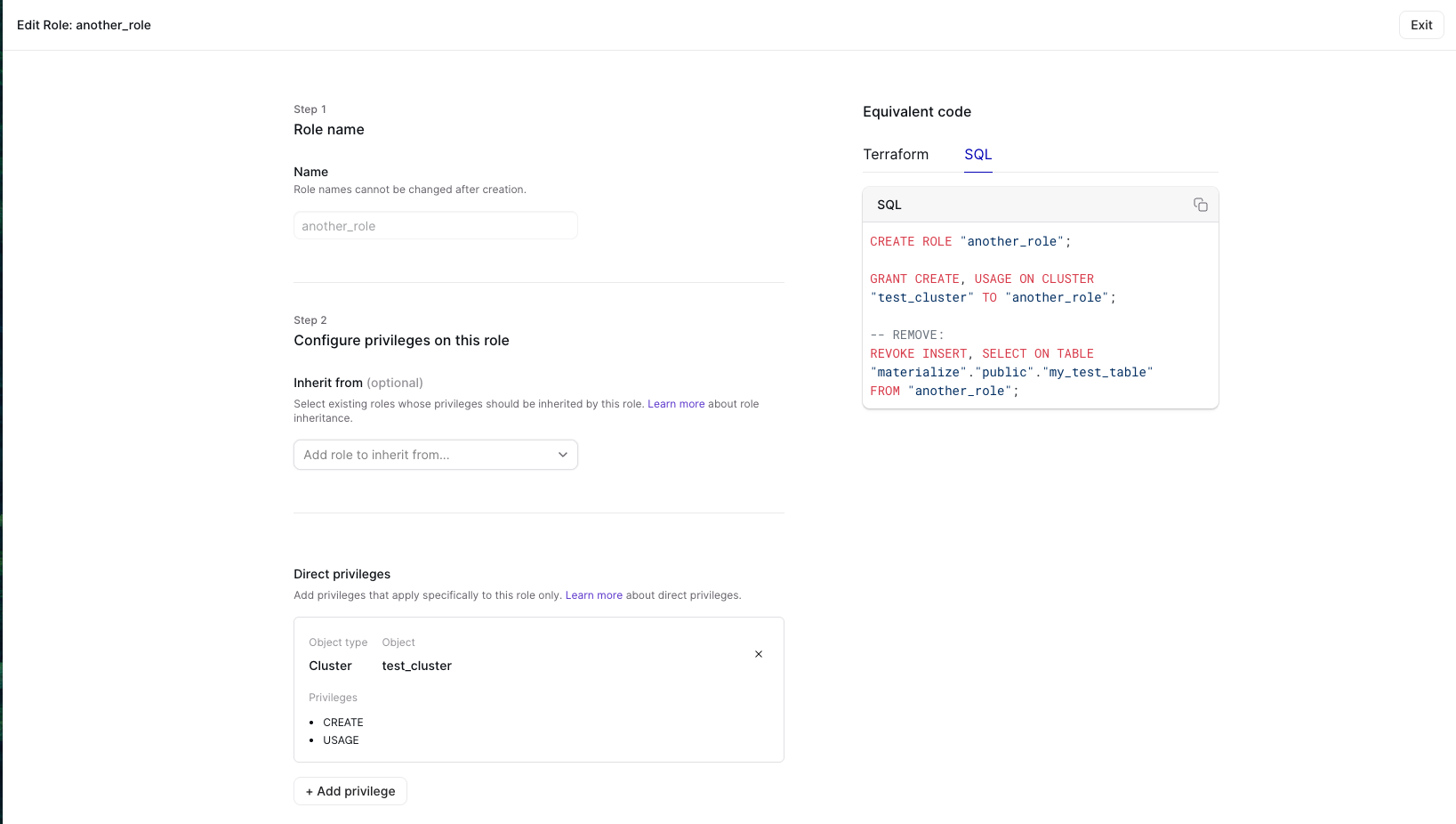
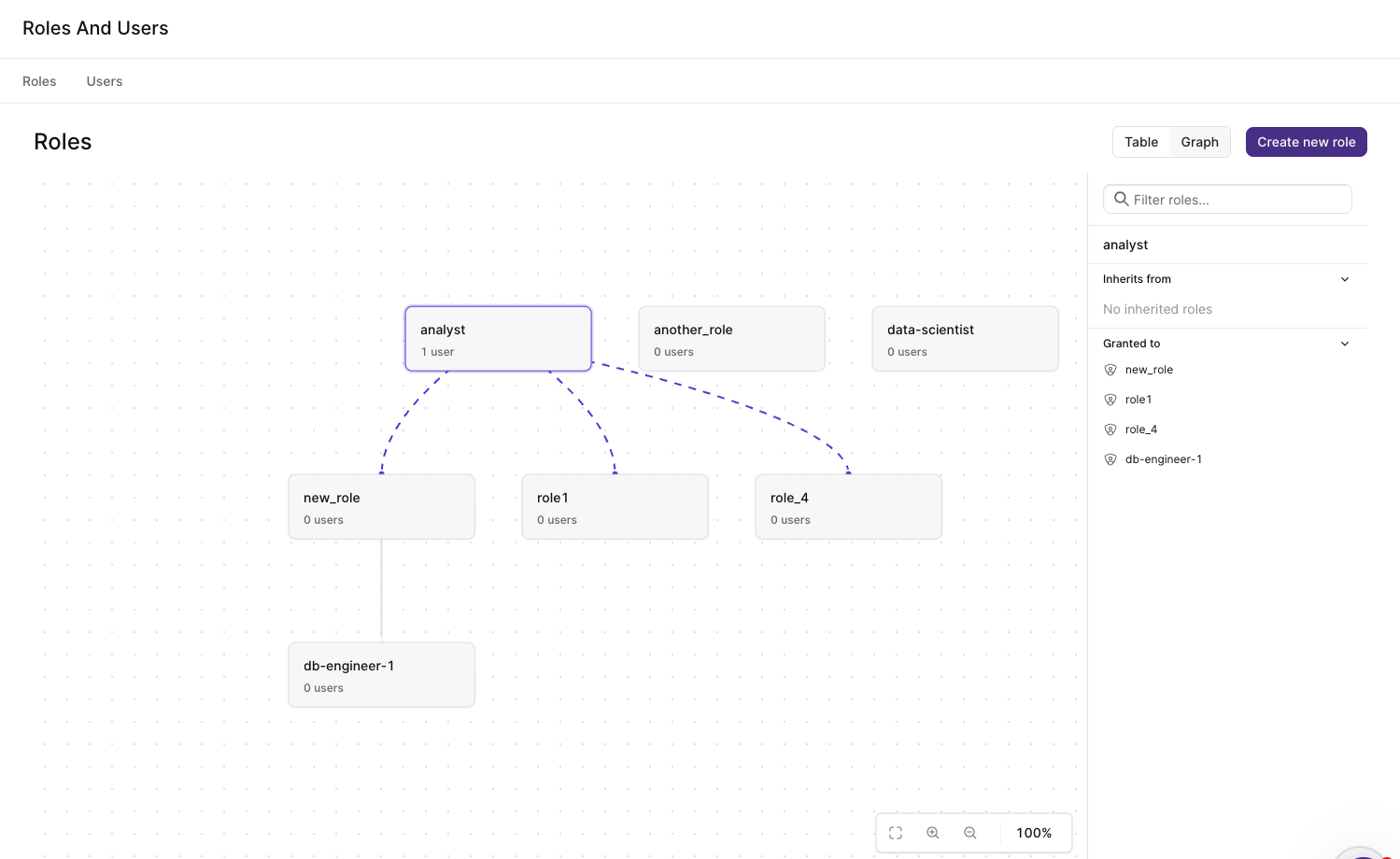
You can navigate to the Roles and Users page directly from the Materialize console. If you’re on Materialize Self-Managed, upgrade to v26.12 first. If you’re on Materialize Cloud, you can go directly to https://console.materialize.com/roles to reach the page.
Improvements
- Updated default resource requirements (
Materialize Self-Managed only ): We’ve updated the Materialize Self-Managed Helm charts to ensure correct operation on Kind clusters - Improved console query history performance: We’ve optimized RBAC queries to use OIDs instead of names, resulting in 2-3x faster page execution.
Bug Fixes
- Fixed a panic when using unsupported types (e.g., float) with range expressions, now returning a proper error message instead of an internal error.
- Fixed a panic when using empty
int2vectorvalues, which could cause internal errors during query optimization or execution. - Fixed internal errors that could occur during query optimization due to type
checking mismatches in
ColumnKnowledgeand related transforms, adding fallback handling to prevent crashes. - Fixed compatibility with older Amazon Aurora PostgreSQL versions when using
parallel snapshots, by using
SELECT current_setting()instead ofSHOWfor version retrieval. - Fixed version comparison in the Materialize Kubernetes operator to correctly follow semver precedence rules, no longer rejecting upgrades that differ only in build metadata.
v26.11.0
Released to Materialize Cloud: 2026-02-19
Released to Materialize Self-Managed: 2026-02-13
This release includes improvements to Avro Schema references, EXPLAIN commands, and bug fixes.
Improvements
- Avro Schema References: Sources can now use avro schemas which reference other schemas when using Confluent Schema Registry.
EXPLAINimprovements:EXPLAINnow allows you to inspect the query plan forSUBSCRIBEstatements. It also fully qualifies index names if there are identically-named indexes across different schemas.- More efficient dbt-adapter: We’ve added indexes on
mz_hydration_statusesandmz_materialization_lag. This should speed up “deployment ready” queries made by our dbt-adapter.
Bug Fixes
- Fixed a bug where
IS DISTINCT FROMcould fail typechecking in certain cases involving different data types, causing query errors. - Improved the error message when
INSERT INTO ... SELECTtransitively references a source.
v26.10.1
Released to Materialize Cloud: 2026-02-05
Released to Materialize Self-Managed: 2026-02-06
This release introduces Replacement Materialized Views, performance improvements, and bugfixes.
Replacement Materialized Views
For more information, refer to:
- Guide: Replace Materialized Views
- Syntax: CREATE REPLACEMENT MATERIALIZED VIEW
- Syntax: ALTER MATERIALIZED VIEW
Improvements
- Improved hydration times for PostgreSQL sources: PostgreSQL sources now perform parallel snapshots. This should improve initial hydration times, especially for large tables.
Bug Fixes
- Fixed an issue where floating-point values like
-0.0and+0.0could be treated as different values in equality comparisons but the same in ordering, causing incorrect results in operations likeDISTINCT. - Fixed an issue where certain SQL keywords required incorrect quoting in expressions.
- Fixed the
ORDER BYclause inEXPLAIN ANALYZE MEMORYto correctly sort by memory usage instead of by the text representation. - Fixed a bug where the optimizer could mishandle nullability inside record types.
- Fixed an issue where the
mz_rolessystem table could produce invalid retractions when certain system variables were changed. - Console: Fixed SQL injection vulnerability in identifier quoting where only the first quote character was being escaped.
v26.9.0
Released to Materialize Cloud: 2026-01-29
Released to Materialize Self-Managed: 2026-01-30
v26.9 includes significant performance improvements to QPS & query latency.
Improvements
- Up to 2.5x increased QPS: We’ve significantly optimized how
SELECTstatements are processed; they are now processed outside the main thread. In our tests, this change increased QPS by as much as 2.5x.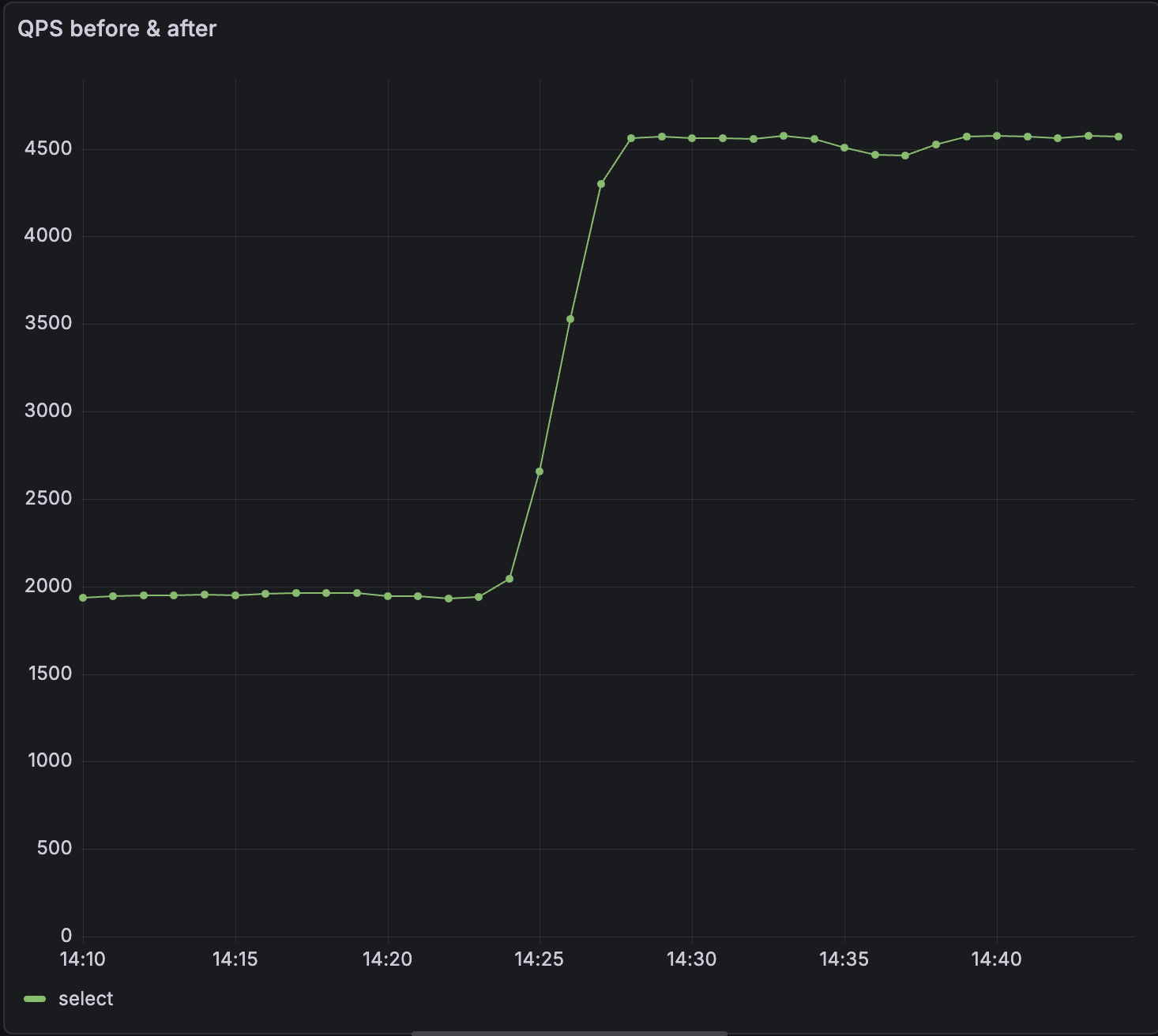
- Significant reduction in query latency: Moving
SELECTstatements off the main thread has significantly reduced latency. p99 has reduced by up to 50% for some workloads.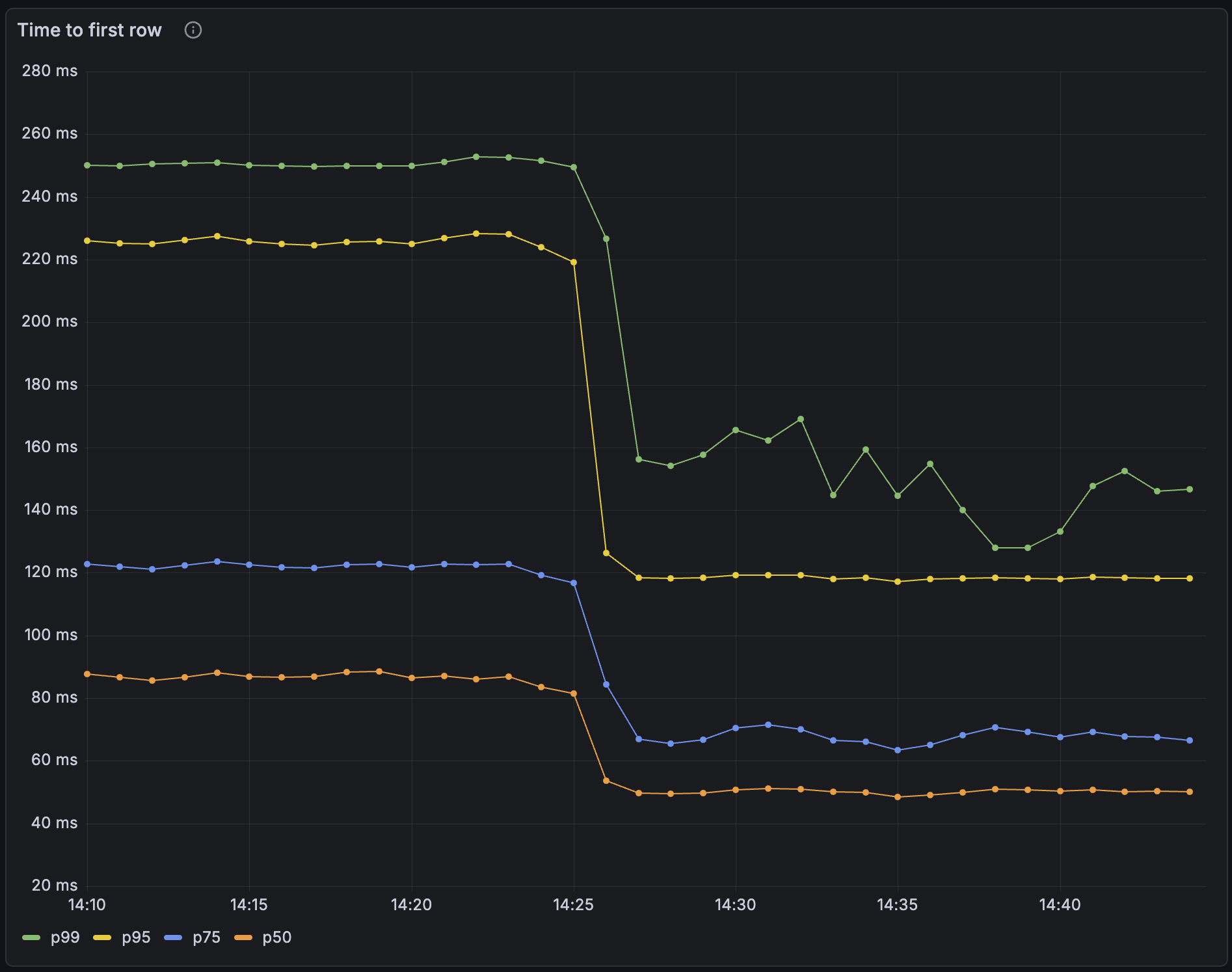
- Dynamically configure system parameters using a ConfigMap (
Materialize Self-Managed only ): You can now use a ConfigMap to dynamically update system parameters at runtime. In many cases, this means you don’t need to restart Materialize for new system parameters to take effect. You can also specify system parameters which survive restarts and upgrades. Refer to our documentation on configuring system parameters. - Added
ABORTas a PostgreSQL-compatible alias for theROLLBACKtransaction command, to improve compatibility with GraphQL engines like Hasura
Bug Fixes
- Fixed an issue causing new generations to be promoted prematurely when using the
WaitUntilReadyupgrade strategy (Materialize Self-Managed only ) - Fixed a race condition in source reclock that could cause panics when the
as_oftimestamp was newer than the cached upper bound. - Improved error messages when the load balancer cannot connect to the upstream environment server
v26.8.0
Released to Materialize Cloud: 2026-01-22
Released to Materialize Self-Managed: 2026-01-23
v26.8 includes a new notice in the Console to help catch common SQL mistakes, Protobuf compatibility improvements, and performance optimizations for view creation.
Improvements
- Added a Console notice when users write
= NULL,!= NULL, or<> NULLin SQL expressions instead ofIS NULLorIS NOT NULL. Comparisons using=,!=, or<>withNULLalways evaluate toNULL. - Protobuf schemas that import well-known types (such as
google.protobuf.Timestamporgoogle.protobuf.Duration) now work automatically when using a Confluent Schema Registry connection. - Improved performance of view creation by caching optimized expressions, resulting in approximately 2x faster view creation in some scenarios.
v26.7.0
Released to Materialize Self-Managed: 2026-01-16
Released to Materialize Cloud: 2026-01-17
v26.7 improves compatibility with go-jet and includes bug fixes.
Improvements
- Improved compatibility with go-jet: We’ve added the
attndimscolumn topg_attribute. We’ve also fixedpg_type.typelemto correctly report element types for named list types. - Pretty print SQL in the console: We’ve made it easier to read the definitions for views and materialized views in the console.
Bug Fixes
- Fixed an issue where type error messages could inadvertently expose constant values from queries.
- The console reconnects more gracefully if the connection to the backend is interrupted
v26.6.0
Released to Materialize Cloud: 2026-01-08
Released to Materialize Self-Managed: 2026-01-09
v26.6.0 includes bug fixes for Kafka sinks and Self-Managed deployments.
Bug Fixes
- Fixed an issue where console and balancer deployments could fail to upgrade to the correct version during Self-Managed environment upgrades.
- Fixed an issue where
ALTER SINK ... SET FROMon Kafka sinks could incorrectly restart in snapshot mode even when the sink had already made progress, causing unnecessary resource consumption and potential out-of-memory errors.
v26.5.1
Released to Materialize Self-Managed: 2025-12-23
Released to Materialize Cloud: 2026-01-08
v26.5.1 enhances our SQL Server source, improves performance, and strengthens Materialize Self-Managed reliability.
Improvements
- VARCHAR(MAX) and NVARCHAR(MAX) support for SQL Server: The Materialize SQL Server source now supports
varchar(max)andnvarchar(max)data types. - Faster authentication for connection poolers: We’ve added an index to the
pg_authidsystem catalog. This should significantly improve the performance of default authentication queries made by connection poolers like pgbouncer. - Faster Kafka sink startup: We’ve updated the default Kafka progress topic configuration to reduce the amount of progress data processed when creating new Kafka sinks.
- dbt strict mode: We’ve introduced
strict_modeto dbt-materialize, our dbt adapter.strict_modeenforces production-ready isolation rules and improves cluster health monitoring. It does so by validating source idempotency, schema isolation, cluster isolation and index restrictions. - SQL Server Always On HA failover support (
Materialize Self-Managed only ): Materialize Self-Managed now offers better support for handling failovers, without downtime, in SQL Server Always On sources. Contact our support team to enable this in your environment. - Auto-repair accidental changes (
Materialize Self-Managed only ): Improvements to the controller logic allow Materialize to auto-repair changes such as deleting a StatefulSet. This means that your production setups should be more robust in the face of accidental changes. - Track deployment status after upgrades (
Materialize Self-Managed only ): The Materialize custom resource now displays both active and desiredenvironmentdversions. This makes it easier to track deployment status after upgrades.
Bug fixes
- Added additional checks to string functions (
replace,translate, etc.) to help prevent out-of-memory errors from inflationary string operations. - Fixed an issue which could cause panics during connection drops; this means improved stability when clients disconnect.
- Fixed an issue where disabling console or balancers would fail if they were already running.
- Fixed an issue where balancerd failed to upgrade and remained stuck on its pre-upgrade version.
v26.4.0
Released to Materialize Self-Managed: 2025-12-17
Released to Materialize Cloud: 2025-12-18
v26.4.0 introduces several performance improvements and bugfixes.
Improvements
- Over 2x higher connections per second (CPS): We’ve optimized how Materialize handles inbound connection requests. In our tests, we’ve observed 2x - 4x improvements to the rate at which new client connections can be established. This is especially beneficial when spinning up new environments, warming up connection pools, or scaling client instances.
- Up to 3x faster hydration times for large PostgreSQL tables: We’ve reduced the overhead incurred by communication between multiple workers on a large cluster. We’ve observed up to 3x throughput improvement when ingesting 1 TB PostgreSQL tables on large clusters.
- More efficient source ingestion batching: Sources now batch writes more effectively. This can result in improved freshness and lower resource utilization, especially when a source is doing a large number of writes.
- CloudSQL HA failover support (
Materialize Self-Managed only ): Materialize Self-Managed now offers better support for handling failovers in CloudSQL HA sources, without downtime. Contact our support team to enable this in your environment. - Manual Promotion (
Materialize Self-Managed only ): Rollout strategies allow you control how Materialize transitions from the current generation to a new generation during an upgrade. We’ve added a new rollout strategy calledManuallyPromotewhich allows you to choose when to promote the new generation. This means that you can minimize the impact of potential downtime.
Bug Fixes
- Fixed timestamp determination logic to handle empty read holds correctly.
- Fixed lazy creation of temporary schemas to prevent schema-related errors.
- Reduced SCRAM iterations in scalability framework and fixed fallback image configuration.
v26.3.0
Released to Materialize Cloud & Materialize Self-Managed: 2025-12-12
Improvements
- For Self-Managed: added version upgrade window validation, to prevent skipping required intermediate versions during upgrades.
- Improved activity log throttling to apply across all statement executions, not just initial prepared statement execution, providing more consistent logging behavior.
Bug Fixes
- Fixed validation for replica sizes to prevent configurations with zero scale or workers, which previously caused division-by-zero errors and panics.
- Fixed frontend
SELECTsequencing to gracefully handle collections that are dropped during real-time recent timestamp determination.
v26.2.0
Released Cloud: 2025-12-05
Released Self-Managed: 2025-12-09
This release focuses primarily on bug fixes.
Bug fixes
-
Catalog updates: Fixed a bug where catalog item version updates were incorrectly ignored when the
create_sqldidn’t change, which could cause version updates to not be applied properly. -
Console division by zero: Fixed a division by zero error in the console, specifically when viewing
mz_console_cluster_utilization_overview. -
ALTER SINK improvements: Fixed
ALTER SINK ... SET FROMto prevent panics in certain situations. -
Improved rollout handling: Fixed an issue where rollouts could leave a pod at their previous configuration.
-
Dependency drop handling: Fixed panics that could occur when dependencies are dropped during a SELECT or COPY TO. These operations now gracefully return a
ConcurrentDependencyDroperror.
v26.1.0
Released Self-Managed: 2025-11-26
v26.1.0 introduces EXPLAIN ANALYZE CLUSTER, console bugfixes, and improvements for SQL Server support, including the ability to create a SQL Server Source via the Console.
EXPLAIN ANALYZE CLUSTER
The EXPLAIN ANALYZE statement helps analyze how objects, namely indexes or materialized views, are running. We’ve introduced a variation of this statement, EXPLAIN ANALYZE CLUSTER, which presents a summary of every object running on your current cluster.
You can use this statement to understand the CPU time spent and memory consumed per object on a given cluster. You can also reveal whether an object has skewed operators, where work isn’t evenly distributed among workers.
For example, to get a report on memory, you can run EXPLAIN ANALYZE CLUSTER MEMORY, and you’ll receive an output similar to the table below:
| object | global_id | total_memory | total_records |
|---|---|---|---|
| materialize.public.idx_top_buyers | u85496 | 2086 bytes | 25 |
| materialize.public.idx_sales_by_product | u85492 | 1909 kB | 148607 |
| materialize.public.idx_top_buyers | u85495 | 1332 kB | 77133 |
To understand worker skew, you can run EXPLAIN ANALYZE CLUSTER CPU WITH SKEW, and you’ll receive an output similar the table below:
| object | global_id | worker_id | max_operator_cpu_ratio | worker_elapsed | avg_elapsed | total_elapsed |
|---|---|---|---|---|---|---|
| materialize.public.idx_sales_by_product | u85492 | 0 | 1.18 | 00:00:00.094447 | 00:00:00.079829 | 00:00:00.159659 |
| materialize.public.idx_top_buyers | u85495 | 0 | 1.15 | 00:00:01.371221 | 00:00:01.363659 | 00:00:02.727319 |
| materialize.public.idx_top_buyers | u85495 | 1 | 1.03 | 00:00:01.356098 | 00:00:01.363659 | 00:00:02.727319 |
| materialize.public.idx_top_buyers | u85496 | 1 | 1.01 | 00:00:00.021163 | 00:00:00.021048 | 00:00:00.042096 |
| materialize.public.idx_top_buyers | u85496 | 0 | 0.99 | 00:00:00.020932 | 00:00:00.021048 | 00:00:00.042096 |
| materialize.public.idx_sales_by_product | u85492 | 1 | 0.82 | 00:00:00.065211 | 00:00:00.079829 | 00:00:00.159659 |
Improved SQL Server support
Materialize v26.1.0 includes improved support for SQLServer, including the ability to create a SQLServer Source via the console.
Upgrade notes for v26.1.0
- To upgrade to
v26.1or future versions, you must first upgrade tov26.0
Self-Managed v26.0.0
Released: 2025-11-18
Swap support
Starting in v26.0.0, Self-Managed Materialize enables swap by default. Swap allows for infrequently accessed data to be moved from memory to disk. Enabling swap reduces the memory required to operate Materialize and improves cost efficiency.
To facilitate upgrades from v25.2, Self-Managed Materialize added new labels to
the node selectors for clusterd pods. To upgrade, you must prepare your nodes
by adding the required labels. For detailed instructions, see Prepare for swap
and upgrade to v26.0.
SASL/SCRAM-SHA-256 support
Starting in v26.0.0, Self-Managed Materialize supports SASL/SCRAM-SHA-256 authentication for PostgreSQL wire protocol connections. For more information, see Authentication.
When SASL authentication is enabled:
- PostgreSQL connections (e.g.,
psql, client libraries, connection poolers) use SCRAM-SHA-256 authentication - HTTP/Web Console connections use standard password authentication
This hybrid approach provides maximum security for SQL connections while maintaining compatibility with web-based tools.
License Key
Starting in v26.0.0, Self-Managed Materialize requires a license key.
| License key type | Deployment type | Action |
|---|---|---|
| Community | New deployments |
To get a license key:
|
| Community | Existing deployments | Contact Materialize support. |
| Enterprise | New deployments | Visit https://materialize.com/self-managed/enterprise-license/ to purchase an Enterprise license. |
| Enterprise | Existing deployments | Contact Materialize support. |
For new deployments, you configure your license key in the Kubernetes Secret resource during the installation process. For details, see the installation guides. For existing deployments, you can configure your license key via:
kubectl -n materialize-environment patch secret materialize-backend -p '{"stringData":{"license_key":"<your license key goes here>"}}' --type=merge
PostgreSQL: Source versioning
To enable this feature in your Materialize region, contact our team.
For PostgreSQL sources, starting in v26.0.0, Materialize introduces new syntax
for CREATE SOURCE and CREATE TABLE to allow better handle DDL changes to the upstream
PostgreSQL tables.
-
This feature is currently supported for PostgreSQL sources, with additional source types coming soon.
-
Changing column types is currently unsupported.
For more information, see:
Deprecation
The inPlaceRollout setting has been deprecated and will be ignored. Instead,
use the new setting rolloutStrategy to specify either:
WaitUntilReady(Default)ImmediatelyPromoteCausingDowntime
For more information, see rolloutStrategy.
Terraform helpers
The following sample Terraform modules are available for deploying Materialize:
| Module | Description |
|---|---|
| Amazon Web Services (AWS) | An example Terraform module for deploying Materialize on AWS. See Install on AWS for detailed instructions usage. |
| Azure | An example Terraform module for deploying Materialize on Azure. See Install on Azure for detailed instructions usage. |
| Google Cloud Platform (GCP) | An example Terraform module for deploying Materialize on GCP. See Install on GCP for detailed instructions usage. |
Upgrade notes for v26.0.0
-
Upgrading to
v26.0.0is a major version upgrade. To upgrade tov26.0fromv25.2.Xorv25.1, you must first upgrade tov25.2.16and then upgrade tov26.0.0. -
For upgrades, the
inPlaceRolloutsetting has been deprecated and will be ignored. Instead, use the new settingrolloutStrategyto specify either:WaitUntilReady(Default)ImmediatelyPromoteCausingDowntime
For more information, see
rolloutStrategy. -
New requirements were introduced for license keys. To upgrade, you will first need to add a license key to the
backendSecretused in the spec for your Materialize resource.See License key for details on getting your license key.
-
Swap is now enabled by default. Swap reduces the memory required to operate Materialize and improves cost efficiency. Upgrading to
v26.0requires some preparation to ensure Kubernetes nodes are labeled and configured correctly. As such:-
If you are using the Materialize-provided Terraforms, upgrade to version
v0.6.1of the Terraform. -
If you are
not using a Materialize-provided Terraform, refer to Prepare for swap and upgrade to v26.0.
-
See also Version-specific upgrade notes.